 Social Suit
Educational information, not individual medical or legal advice. Practical examples are hypothetical and do not describe clients or study participants. This article is not represented as reviewed by a clinician or attorney. How we prepare our guides.
Identify the moment a useful visit changes
Short videos can explain a technique, introduce a creative idea, provide entertainment, or help someone share an experience. The format itself does not tell you whether a visit serves your priorities. The useful question is what happens between the video you intended to watch and the point when you realize the session has drifted. Perhaps a recipe leads to unrelated recommendations. Perhaps a message from a friend opens into a feed. Perhaps you keep watching after the original reason has disappeared. Recognizing that transition gives you a concrete place to change the pattern.
A long session by itself does not establish a diagnosis. Someone might intentionally watch a series during a leisure period and feel satisfied afterward. Another person might spend a much shorter period checking clips while repeatedly interrupting a task. Duration becomes meaningful alongside purpose, timing, control, and impact. Start with those details. What did you mean to do? What did you actually do? What activity did the visit displace? Did you choose to continue, or did the next item arrive before you made a stopping decision? These questions support practical observation without turning an app report into a verdict.
Name the original item whenever you can. A hypothetical viewer might say, 'I opened the app to see the repair demonstration my friend sent.' That is a bounded task. They can watch, save a useful reference if necessary, and leave. 'I opened the app to see what was there' is a different task, one whose endpoint needs to be supplied by the viewer. Neither purpose is automatically wrong. The distinction matters because a feed designed to keep offering items will not necessarily announce when your own purpose has been met.
Treat the rabbit hole as a sequence rather than a mysterious event. The sequence may include a cue, an opening, a useful item, a recommendation, a decision postponed, and a later consequence. Each part can be inspected. You might change the opening route, decide the endpoint earlier, or make the next activity easier to begin. You do not have to solve every part at once. A single adjustment can show where the session becomes easier to direct. That information is more useful than promising never to watch short videos again without examining how you use them.
Distinguish direct viewing from feed viewing
Direct viewing begins with a selected item or a specific search. Feed viewing begins with a stream in which the next item is supplied. The distinction is not perfect, because a direct video can lead into recommendations and a feed can reveal something useful. It nevertheless helps you describe the route. If you need a demonstration, a direct link or a search result may serve the task with fewer unrelated invitations. If you want entertainment, a feed can be an intentional choice, provided you decide what will make the visit complete before it expands into another part of the day.
Write a direct-viewing plan in ordinary terms. Open the link, check that it is the intended item, watch enough to answer the question, record what you need, and return to the task. The record could be a note, a bookmark, or a saved reference. Do not automatically save every item; a collection can become another stream to review. Choose only what has a clear future purpose. For a practical demonstration, the important result may be knowing the next step rather than retaining the entire clip. The video is a tool for the activity you are trying to perform.
Feed viewing needs an externally chosen endpoint because the stream can continue. You might choose a leisure window, a small number of selected creators, or a stopping event such as the start of dinner preparation. A timer can help, but it should be connected to what happens next. If it rings and you remain in the same posture with the same feed, leaving may require a fresh decision you were trying to avoid. Put the next activity in view when possible. A simple transition can turn an abstract limit into a practical change in what you are doing.
Notice routes that masquerade as direct viewing. A search may begin with an exact question and then broaden into related terms, reactions, and suggested clips. A friend's link may open on the correct item but leave you in a recommendation view afterward. A saved collection may mix useful references with items you do not need. You can still use those routes, but recognize where the bounded task ends. At that point, pause and decide whether browsing is a new intentional activity or an unplanned continuation. The pause is the practical skill you are testing.
Watch for the disappearing stopping decision
Short clips can make each additional item feel small. The next decision may seem inconsequential because the item is brief, yet a series of small continuations can fill a substantial period. The issue is not that a particular clip has an unusual power over everyone. It is that you may repeatedly postpone the decision about the whole session. Ask a larger question at the transition: 'Do I want to continue this visit?' That is different from asking whether one more item might be interesting. The latter can remain true indefinitely.
Choose a stopping cue that you can recognize. Completing the tutorial, reaching the planned end time, finishing the selected collection, or beginning the next ordinary activity can all serve that role. A cue should be clear enough that you do not need to reinterpret it repeatedly. 'When I feel finished' may work for some leisure sessions, but it may be less useful if you routinely feel unfinished in a feed. Test a more concrete endpoint in that situation. The purpose is to create a decision point, not punish yourself for encountering another appealing video.
Observe what you say when the stopping cue arrives. Common responses may include wanting a better final item, looking for a conclusion to a story, or deciding that the next clip will be the last. These are practical descriptions, not clinical explanations. Write down the response if it helps. A plan can then address it specifically. If you seek a better ending, choose an endpoint independent of the feed's mood. If a story has no conclusion, note the unanswered question and return later through a deliberate route rather than remaining available to every recommendation.
Keep the endpoint consistent during the experiment, while allowing real exceptions. If an urgent message arrives, address it through the appropriate channel. If a useful demonstration requires replaying a step, do so deliberately and return to the task. The distinction is whether the extension serves a named purpose. An intentional replay is different from silently adding unrelated clips. Record exceptions in concrete terms. That makes the review fairer and helps you avoid both treating every extension as failure and treating every interesting item as a reason the session must continue.
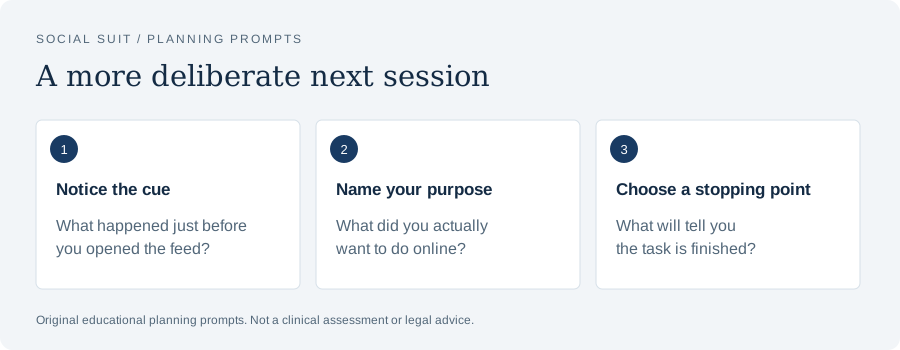
- Notice the cueWhat happened just before you opened the feed?
- Name your purposeWhat did you actually want to do online?
- Choose a stopping pointWhat will tell you the task is finished?
Use a baseline that captures the drift
A device report may show the app's total time, but it will not necessarily show why you opened it or where the visit changed. For a few ordinary sessions, record the initial purpose, approximate duration, endpoint, and effect on the next activity. Include whether the content was useful, enjoyable, upsetting, or merely difficult to leave. A short note can capture enough information. You do not need to catalog every video, and you should avoid creating an archive of distressing material merely to make the baseline more detailed.
Separate necessary and optional use where practical. A creator doing work, a student viewing assigned material, and a person watching entertainment may spend time in the same app for different reasons. The report can combine them. Add the distinction in your notes rather than assuming the total explains the behavior. If you need a platform for work, the practical goal may be to complete the work without entering an unrelated stream. If the visit is leisure, the goal may be to preserve enjoyment while ending in time for another valued activity.
Compare similar circumstances. A quiet weekend, a stressful weekday, and a travel day may produce different patterns. Note fatigue, waiting, task difficulty, or a significant event if they seem relevant. You are looking for repeatable conditions, not a single dramatic number. For example, a hypothetical viewer could find that sessions after a clear task remain bounded while sessions during an unclear work break drift. That observation points toward defining the break and the return task. A lower overall total would be less informative if you did not know what produced it.
The guide on building a screen-time baseline that is actually useful explores this context more fully. For short videos, the key extra detail is the transition from selected content to supplied content. Track whether that transition was chosen. A baseline can reveal success as well as difficulty: perhaps you watched the intended demonstration, saved the relevant step, and closed the app. That is evidence that a route works. Use it to design the next experiment instead of noticing only the sessions you wish had gone differently.
Make useful videos easier to use outside the feed
When a clip teaches something practical, connect it to the real task immediately. Write the ingredients, note the repair step, practice the language phrase, or identify the question the demonstration leaves unanswered. This changes the visit from collecting interesting material to using a selected resource. Check whether the clip provides enough context and whether the advice is appropriate for the task. A short format may omit important qualifications. For health, safety, legal, or other high-stakes decisions, seek the relevant authoritative guidance or professional advice rather than relying on a brief demonstration alone.
Save selectively. A bookmark with a specific purpose can be helpful; a large collection of loosely useful clips can become another reason to browse. Give the saved item a task if your tool permits it, or write that task elsewhere. 'Use this stitch for the scarf' is more actionable than 'Interesting.' Periodically remove items whose purpose no longer matters. You are not required to finish a backlog because you once saved it. The collection should support current activities, not create an endless obligation to consume everything that seemed appealing in a moment.
Look for a source with a more complete format when the task requires it. A written recipe may be easier to follow in the kitchen than replaying a fast clip. A full tutorial may clarify a step that a short video skips. An official manual may be necessary for equipment. The short video can still be useful as an introduction, but it does not have to remain the working reference. Moving from the clip to the appropriate source can create a natural endpoint and reduce the need to reopen the recommendation stream repeatedly.
Do not confuse watching competence with practicing competence. A demonstration can make a task look clear while leaving you unsure when you attempt it. That is ordinary learning information. Try a safe, appropriate step and identify what you need next. If the task is unsuitable to attempt without training or professional help, use that route instead. The goal is not to rush into action; it is to decide whether the video has supplied usable information. Watching several more loosely related clips may feel like preparation while never resolving the specific gap in understanding.
Arrange breaks that have a return point
A short-video visit can begin as a break from work or study. To assess it, define what the break is meant to do and when it ends. A brief pause might allow you to change posture, get water, or reset before another task. A longer leisure period might reasonably include entertainment. Problems arise when the feed's continuation replaces the break's endpoint. Choose the return point before opening. It should connect to a visible task or an existing schedule, so the next decision is not made while you are already absorbed in recommendations.
Test whether video breaks make returning easier or harder in your own circumstances. Notice the practical result, not a promised universal effect. Did you return at the planned point? Did you remember the next step? Did the content leave you preoccupied? Did you feel rested, entertained, or frustrated? Different content and contexts may produce different outcomes. A humorous clip sent by a friend and an open-ended reaction stream are not identical experiences. Your review can distinguish them rather than concluding that every break involving a screen must have the same effect.
Prepare a small menu of alternatives that fit the actual break. A two-minute pause needs a different option from a lunch hour. Accessibility, space, weather, and responsibilities all matter. Choose ordinary activities you can begin without a complicated setup. The alternative should not become a moral test of whether you can make every spare minute productive. Its role is to provide another available response. If the feed is the only easy activity at the moment of fatigue, a promise to choose something else may be harder to keep than a prepared option.
The companion guide on choosing breaks that do not become another feed develops break planning in more detail. For short videos, a useful experiment is to change one recurring break while leaving intentional leisure viewing available elsewhere. That separates the question of returning to work from the broader question of entertainment. If the changed break helps, keep it. If it does not, inspect the task you are returning to as well. An unclear or overwhelming task can make any break difficult to end, regardless of the activity you choose.
Add friction at the route that drifts
Friction is a small extra step that gives you time to recognize an automatic action. It can be moving an app shortcut, using a direct bookmark, logging out of optional viewing between sessions, or placing the phone where you must deliberately reach for it. The best choice depends on where the unwanted opening occurs. Do not add obstacles indiscriminately. You may need the device for communication, accessibility, or work. Preserve those functions and target the route that repeatedly turns a pause into an unplanned recommendation session.
Choose one change and state why it might help. If the home-screen icon is the cue, moving it could make the opening more noticeable. If a notification begins the visit, changing that category could remove the invitation. If a useful link leads to a stream afterward, a direct reading or viewing route may help. If bedtime reachability is the issue, another placement may be appropriate while essential access remains available. An experiment with a clear mechanism is easier to evaluate than a collection of restrictions introduced all at once.
Test the cost as well as the benefit. A change that blocks a needed message or makes work unnecessarily difficult may not be worth keeping. Revise it rather than treating inconvenience as proof of effectiveness. Friction is not punishment. Its purpose is to create a decision point, and that point should be small enough to fit ordinary use. If you spend the day circumventing a complicated setup, simplify it. You may need clearer expectations or a better endpoint rather than another layer of technical obstacles.
The guide on using friction to interrupt a scrolling habit includes more ways to match a change to a cue. In short-video use, watch the route after the extra step. If you pause and then deliberately choose a leisure session, the friction may have worked even though you still watch videos. If you bypass it automatically, ask whether it is placed at the right point. The measure is greater awareness and useful control of the visit, not whether the device becomes sufficiently annoying to use.
Deal with recommendations you did not want
A recommendation is not a requirement to watch. You can leave an upsetting, misleading, or unwanted item without investigating its entire context. Use current hide, report, or recommendation controls when they address the issue. Consider whether the feed is a suitable route for the information you need. If you repeatedly encounter material that troubles you, direct subscriptions, specific searches, or a different source format may provide a more manageable experience. No control guarantees that every unwanted item will disappear, so evaluate the practical result rather than assuming a setting has solved the whole problem.
Avoid repeatedly opening harmful material to understand why it appeared. That can prolong exposure without providing a clear answer about the recommendation system. If you need to discuss the experience, describe it without forwarding unnecessary detail. Ask before sending upsetting material to someone else. For a safety concern involving threats, exploitation, or other serious harm, use appropriate reporting and support routes. A habit experiment is not a substitute for addressing the underlying problem. The technical step and the human support can both matter.
Short videos about mental health or other sensitive topics can feel personally relevant, but relevance is not an assessment. A creator may describe a genuine experience without knowing your circumstances. A brief checklist cannot establish the full explanation for your difficulty stopping, distress, or sleep problems. If you want individualized guidance, speak with a qualified professional and bring concrete examples. You can value a personal story while recognizing the limits of what it tells you. That distinction helps prevent the feed from becoming both the source of concern and the authority that defines it.
Notice whether comments make the experience harder to leave. A clip may end quickly while its argument continues below it. If your purpose was to view a demonstration, comments may not be needed. If your purpose was discussion, choose how much of it you want to consider and whether the format supports useful exchange. Leaving an unproductive thread does not require resolving it. You can note a factual question and seek a better source. This creates an endpoint that does not depend on strangers agreeing or the feed supplying a satisfying final response.
Preserve connection without keeping the stream open
Friends may use short videos to share humor, interests, or experiences. You can preserve that connection while changing how you encounter the broader feed. Ask whether a direct link, a message, or a small shared collection serves the exchange. Respond to the person if you want to, then decide whether continuing into recommendations is a separate activity. The social benefit belongs to the interaction, not necessarily to every item that follows it. Recognizing that separation can make a boundary feel less like withdrawal from friendship.
Explain a change simply when someone expects rapid reactions. You might say that you check shared clips after work or that an urgent message should use a particular direct route. The explanation should match your actual communication needs and preferences. There is no need to criticize the person's interests or announce a universal rule. People can have different viewing habits and still communicate clearly. If the relationship depends on timely coordination, preserve that coordination explicitly. A boundary works better when it is understandable rather than inferred from unanswered messages.
Consider whether you are sending more clips than the recipient wants. Sharing can reproduce the demand you are trying to reduce. Choose items with a purpose and avoid treating a lack of reaction as a request for more. A thoughtful description can help the recipient decide whether to open the link. If the content is distressing or sensitive, ask first. Communication should allow the other person to choose their own timing. That principle applies whether the item is a joke, a news clip, or something you found personally moving.
If an online community offers important support, protect that benefit in the plan. A person with limited local access, a disability, or a specialized interest may rely on online connection in ways a generic recommendation overlooks. Identify the useful people and spaces rather than treating all platform use as interchangeable. Direct contact or a narrower route may preserve the benefit while changing unwanted browsing. If no narrower route works, choose a boundary around timing or recommendations instead. The plan should fit the function the community serves in your life.
Make evening decisions before you are tired
An evening short-video session may become difficult to end because the next task is simply going to bed, and the feed offers immediate variety. Decide the nonessential viewing endpoint earlier in the day or before the session begins. Prepare the next routine: tomorrow's essentials, an ordinary quieter activity, and any required overnight contact arrangement. These steps do not guarantee sleep. They provide a practical sequence that is easier to follow than repeatedly asking, while watching, whether you feel ready to stop.
The National Heart, Lung, and Blood Institute describes supportive routines and avoiding bright artificial light near bedtime in its healthy sleep guidance. That general guidance supplies context, not a diagnosis or a promise about a particular viewer. For this experiment, focus on whether short-video recommendations keep reopening the evening after your intended stopping point. If persistent sleep difficulty is a concern, seek appropriate healthcare advice. The causes may involve more than phone placement or one type of content.
Preserve essential overnight functions. Some people need the phone for accessibility, caregiving, an alarm, or time-sensitive contact. List those needs before moving the device or changing settings. Test the setup when stakes are low. You might choose a placement that makes optional viewing less automatic while keeping a necessary signal available. Another person may need a different arrangement. Avoid copying an idealized rule that ignores your responsibilities. A plan that is dependable is more likely to reduce checking than one that leaves you uncertain whether an important message will arrive.
If you wake and open a video feed, note what prompted the opening. Was it an alert, a habit, an attempt to manage discomfort, or a practical need? Address the practical need directly when possible and avoid turning it into permission for an unrelated stream. If the pattern repeats, bring that observation to a professional when seeking help for sleep or related concerns. The example is more useful than saying only that you have too much screen time. It describes timing, intention, and impact in terms someone else can explore with you.
Help young people inspect the format
For children and teenagers, begin with curiosity about how a visit unfolds. Ask what they wanted to watch, what appeared next, and which parts they enjoy or find difficult. The format may support learning, friendship, and creativity alongside unwanted drift or upsetting recommendations. A collaborative conversation can identify those differences. Avoid treating the presence of an app or a large total as proof of a disorder. The practical goal is to protect sleep, responsibilities, safety, and meaningful connection while giving the young person a role in making decisions they can understand.
The U.S. Surgeon General's advisory on social media and youth mental health discusses benefits, risks, and protective action for young people. It does not assess a particular child's short-video use. Use the concern as background for a concrete household plan. A hypothetical family might keep direct peer messages available while avoiding recommendation sessions during homework or overnight. The actual plan should fit age, accessibility, school requirements, and family circumstances. Test necessary contact and review the result together rather than relying only on a rule written by an adult.
Teach a stopping question that fits the visit. 'Did this answer what you wanted to know?' works for a selected tutorial. 'Do you want to keep watching, and what will happen next?' works for entertainment. Encourage the young person to notice when the purpose changes. Adults can model the same pause in their own use. A visible shared routine may be more credible than requiring a child to control recommendations while adults continually respond to their own alerts. The aim is a usable skill, not a display of perfect behavior.
Respond to distress with support before turning it into a settings dispute. If a young person encounters harmful material, asks about a worrying claim, or describes difficulty stopping, listen to the specific concern. Preserve a route to trusted help. Settings can reduce some exposure, but they cannot resolve every interaction or health concern. Do not require repeated viewing of upsetting content to demonstrate what happened. When documentation or reporting is needed, handle it carefully and involve appropriate support. A young person should know that describing a problem leads to help, not automatically to losing every useful connection.
Review the role of creation and work
Some people use short-video platforms to make content, promote a project, or perform work. Their time in the app cannot be interpreted in the same way as purely optional viewing. Separate the creation task from feed browsing. Define the work product: record a clip, edit a caption, respond to relevant inquiries, or check a specific performance report. Then use the route that serves that product. If researching examples is part of the task, state what you are looking for and what will be enough. Otherwise, research can become an open-ended stream with no completion standard.
Keep evaluation windows deliberate where you can. Repeatedly checking reactions or performance can interrupt the next piece of work without providing actionable information. Decide when the report is likely to be useful and what decision it will inform. A hypothetical creator might review a post after a defined interval rather than responding to every count change. The appropriate timing depends on the work, clients, and platform. The example illustrates how to connect monitoring with a decision. A number changing is not by itself a reason that you must immediately change what you are doing.
Consider professional obligations and boundaries honestly. Some roles require timely responses; others do not. Clarify expectations with collaborators rather than silently assuming permanent availability. Preserve required access and look for redundant notifications or unrelated recommendations that can be reduced. If the platform combines work and personal entertainment, a separate routine or direct workflow may help. Do not claim that a boundary is feasible without checking the actual requirements. The best plan reduces unnecessary drift within the room you have, while making any unresolved coordination problem visible.
Notice the effect of work research on personal browsing. Watching examples for a project may populate the same feed you encounter later, or leave you thinking about content during leisure time. You may not be able to control every recommendation, but you can decide how to enter the platform and when the work task ends. A brief completion note can help: what you learned, what you will make, and what remains to check. This gives the next session a starting point so you do not need to reconstruct the project by scrolling again.
Respond to a session that ran long
When a session runs beyond your intention, describe it without exaggeration. Identify the initial purpose, the first unrelated continuation, the stopping cue you passed, and the consequence that matters. You might have delayed dinner, lost a study interval, or missed a planned conversation. The consequence should be factual, not a sweeping claim about your character. A clear account helps you choose a repair. If you cannot identify the transition, begin the next experiment with a note at the start and a simpler endpoint.
Restore the next normal routine. Do not assume that a long session requires an extreme compensating restriction. It may require a more direct link, a different break activity, or a clearer first step in the task you were avoiding. If an important message legitimately extended the visit, distinguish that from the feed that followed. The guide on what to do after a scrolling setback develops this neutral review. Its value is in learning where the plan stopped matching the situation, not in creating a perfect record.
Keep useful viewing in the review. Perhaps the tutorial answered your question before the session drifted. That benefit can be preserved through a different route. Perhaps entertainment was enjoyable until the visit displaced sleep. That suggests a timing boundary rather than a claim that enjoyment is the problem. A plan that acknowledges benefits is more realistic and easier to sustain. It also helps you avoid replacing one rigid rule with another. The question is which parts to keep, which to change, and how to tell when the useful part has ended.
If the pattern continues despite practical changes and affects everyday functioning, seek support from a qualified professional. Bring examples of intention, behavior, and impact, along with the useful online activities you want to preserve. A professional can consider sleep, mood, stress, attention, relationships, and other circumstances. A general article cannot determine the cause or provide a diagnosis. You do not need to settle a debate about whether the word addiction applies before discussing a concern that is troubling you. The concrete pattern is enough to begin a conversation.
A hypothetical tutorial visit redesigned
Imagine a hypothetical viewer who opens a short-video platform to learn a simple craft technique. The demonstration is useful, but the next recommendation shows another technique, then a reaction clip, then unrelated entertainment. By the time the viewer notices the drift, the planned craft period is gone. Their first review identifies the original goal: learn enough to attempt one appropriate practice step. They choose to open the saved demonstration directly, place the materials nearby, and write the first step on paper. The video now points toward an action outside the feed.
During the next visit, the viewer watches the intended item and realizes one step is unclear. They replay that portion deliberately, then consult a longer reference for context. This extension serves the original task. When the platform offers another clip, they ask whether it resolves the specific uncertainty. It does not, so they leave and practice. The example does not claim that every tutorial is reliable or every task should be attempted from a video. It illustrates how a named question can distinguish useful replay from unrelated continuation.
Later in the week, the viewer intentionally chooses a leisure session. They set a different endpoint because the purpose is entertainment rather than learning. They stop at the planned transition to dinner preparation, even though the last clip is unremarkable. That prevents the search for a better final item from extending the session. On another day, the session drifts after a stressful message. The viewer records that context and considers a more direct conversation or support, rather than expecting the craft-viewing plan to solve a separate emotional need.
At the end of the hypothetical week, the viewer reviews both kinds of visit. Direct tutorial use helped preserve time for the craft, and intentional entertainment remained available. The break after a stressful message still needs adjustment. This is a practical result, not a clinical success claim. It shows how different purposes can need different boundaries and why one total cannot capture the whole experience. The viewer keeps the useful route, revises the difficult one, and avoids turning every future video into a test of whether they have changed completely.
Choose a durable definition of improvement
Improvement can mean fewer unwanted transitions, a clearer endpoint, more time for the activity you meant to do, or less repeated exposure to material you did not choose. It does not have to mean zero short videos. State the result you care about before reviewing the numbers. If the task is to finish a study interval, assess that interval. If the task is to enjoy entertainment without delaying bedtime, assess the evening. The measure should follow the purpose, and the purpose should reflect your actual responsibilities and preferences.
Watch for a boundary that becomes unnecessarily broad. A plan to stop a tutorial visit from drifting can turn into a demand to avoid all spontaneous enjoyment. Return to the original problem. You can preserve an intentional leisure visit and change an automatic one. You can keep a useful creator and avoid a recommendation route. You can maintain online friendships while changing alert delivery. These distinctions make the plan more precise. They also reduce the chance that a reasonable exception will feel like the collapse of the whole experiment.
The social media resource collection offers related guides on attention, sleep, limits, and evidence. Use the part that matches the actual difficulty. A short-video rabbit hole may involve notifications, uncertain stopping points, task avoidance, distressing content, or several of those at once. Different observations deserve different adjustments. If safety or health concerns are significant, use appropriate professional support alongside practical changes. A browsing plan can make one part of life easier without being asked to explain every problem that occurs around the device.
Recognizing the short-video rabbit hole means seeing the transition clearly enough to choose a different route. Name the reason for opening, distinguish selected content from supplied content, decide what completion looks like, and prepare the next activity. Preserve useful learning and connection. Review drift in specific terms and adapt the plan when circumstances change. The format will continue to offer another item. Your own purpose can provide the endpoint that the stream does not, giving useful viewing a place in the day instead of allowing it to consume every available pause.
Sources and further reading
These primary resources provide context. Our practical examples and planning suggestions are original educational material, not validated treatment protocols. Linked organizations do not endorse Social Suit.