 Social Suit
Educational information, not individual medical or legal advice. Practical examples are hypothetical and do not describe clients or study participants. This article is not represented as reviewed by a clinician or attorney. How we prepare our guides.
Define what one interval should produce
Single-tasking is easiest to use when the task is clear enough to finish or meaningfully advance. Instead of telling yourself to be productive for an afternoon, choose an observable result for the next interval. Draft the opening paragraph, sort one set of documents, clean a particular surface, or work through a defined group of practice problems. The result gives you something to return to after an interruption. It also gives you a fair way to decide whether the interval helped, even when your phone needed to remain available.
Start by naming the task, its next action, and its stopping point. 'Work on the application' leaves many decisions open. 'Read the instructions and draft answers to the first two questions' is more usable. A task can be meaningful without being large. If the work involves uncertainty, the result may be a list of what you need to find out rather than a finished product. Single-tasking protects the chosen question long enough to make progress; it does not require knowing every answer before you begin.
Choose an interval that fits the circumstances. A parent waiting for a call, a worker monitoring a required channel, and a student with a free hour have different options. There is no universal duration that makes work focused. Begin with a period you can plausibly protect and a result suitable to that period. If the interval ends before the result is ready, note the next action. If the result finishes early, decide whether to extend the task or take the planned transition. Avoid letting the feed make that choice automatically.
This is a practical work method, not a treatment claim. Difficulty concentrating can have many causes, and a phone arrangement cannot assess them. The NIMH guidance on caring for your mental health discusses setting priorities and seeking support when needed. Use a focus plan to organize a chosen activity while remaining open to other factors such as fatigue, distress, health, workload, and environmental conditions. A successful interval does not prove a diagnosis, and a difficult interval does not establish one.
Decide why the phone needs to remain nearby
List the functions that genuinely require access during the interval. You may need calls from a caregiver, a communication aid, authentication, research, a timer, work notifications, or coordination with someone helping on the task. Write the function and the route that provides it. Then distinguish those functions from optional feed use. A phone can be necessary for one task without every app becoming necessary. That distinction lets you preserve useful access instead of applying a rule that makes the work or your circumstances harder.
Ask whether nearby means physically within reach, audible from a chosen spot, visible on a stand, or available at the next planned check. The answer depends on the function. A required accessibility control may need immediate reach. A nonurgent collaboration message may wait until the interval ends. A call may be audible without the screen lying beside your hand. Choose the least intrusive arrangement that still does the necessary job. Do not move a medically important or assistive connection without checking the requirements that govern it.
If the need is uncertain, clarify it before designing the boundary. A colleague who writes frequently may not expect instant replies. A classmate may be happy with a question answered at the next break. An actual on-call duty may require a much faster response. These are different conditions. Guessing can lead you to keep every channel open because one might matter. Obtain the expectation where possible and build around it. A clear communication agreement often removes more uncertainty than repeatedly inspecting the notification screen.
When several essential functions share an app with recommendations, prepare a narrow route. Open the relevant conversation directly, keep the needed document ready, or use a supported shortcut to the tool. The available controls vary across devices and platforms. If the app cannot separate the function, write the purpose before opening it and leave when that purpose is complete. The boundary is not a promise never to touch the phone. It is a plan for preventing a necessary interaction from silently becoming an unrelated browsing session.
Arrange the workspace around the next action
Put the materials for the chosen action in front of you before the interval begins. If you are writing, open the document and keep the instructions visible. If you are sorting paperwork, place the relevant pile and an empty destination nearby. If you are practicing a skill, select the exercise. A phone becomes especially attractive when the next work step is unclear or its materials are missing. Preparation does not eliminate every distraction, but it removes avoidable searches that can lead through unrelated apps.
Choose a phone position suited to the access it must preserve. It could remain on a stand away from the main work surface, face away from your line of sight, or sit within reach beside the specific assistive equipment you use. Avoid unstable placement or cables that interfere with movement. If you need to consult the phone repeatedly for the task, keep it usable while reducing the route to optional apps. The right arrangement follows the work and access needs, not a photograph of an ideal minimalist desk.
Use one visible cue for the current task. A short note can state the result and next action. This is useful after a required call because it tells you where to resume without reconstructing the entire plan. Avoid turning the cue into a long list of everything unfinished in your life. Too many visible demands can make the immediate task harder to identify. Keep the broader list elsewhere, and bring only the chosen item into the interval. The workspace should answer 'what now?' as directly as possible.
If you work in a shared or changing environment, prepare a portable version. One note, the required file, and a chosen phone location may be sufficient. You may not control the room's noise, traffic, or other people's conversations. Evaluate the plan with those constraints in mind. A library table, kitchen counter, and work station offer different possibilities. The method should help you begin the next action in the space available, rather than make a private office a prerequisite for useful work.
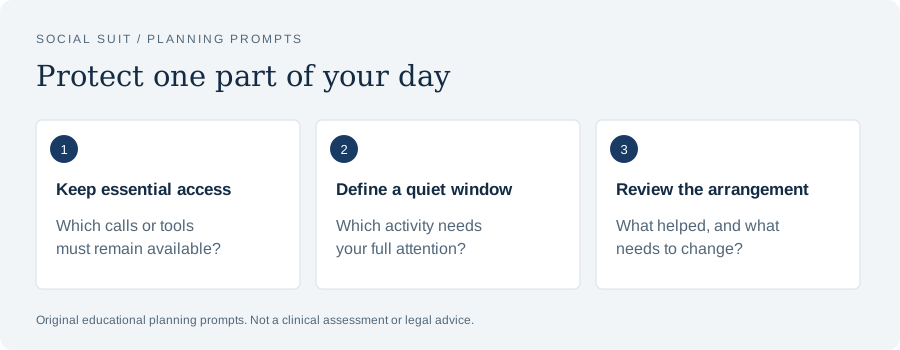
- Keep essential accessWhich calls or tools must remain available?
- Define a quiet windowWhich activity needs your full attention?
- Review the arrangementWhat helped, and what needs to change?
Give unrelated thoughts a parking place
During an interval, you may remember a message to send, an item to buy, or a topic to research. Those thoughts do not have to disappear before you can continue. Give them a place that does not require opening the feed. A paper margin, a simple note, or an accessible capture tool can hold a few words. Record enough to recognize the item later, then return to the chosen action. Capturing the thought should take less effort than pursuing it immediately.
Keep the note format brief. 'Ask Sam about Saturday' is enough if the meaning is clear to you. You do not need to draft the entire message or investigate the event during the focus interval. If the thought reveals a real dependency for the current work, treat it differently: decide whether you must resolve it now or can continue with another part. The parking place is for unrelated demands, not a way to ignore information that changes the task. Distinguish the two by asking whether the next chosen action actually depends on the answer.
Review parked items at the planned transition. Delete what no longer matters, schedule something that does, and handle a genuinely quick item if it fits the break. Without review, the capture system may lose credibility and you may return to immediate checking to avoid forgetting. The review should remain bounded. A break is not automatically the time to process every item collected during the day. Choose what belongs now and give the rest another destination, keeping the next work interval clear.
If the capture tool itself is on the phone, use a direct route and return the device afterward. You may prefer a paper alternative, but accessibility or work requirements can make digital notes the practical choice. Judge the route by whether it reliably captures the thought without launching recommendations. If it repeatedly fails, adjust the route rather than criticizing yourself for needing a tool. A useful system should account for the way you actually communicate, move, and work.
Research with an explicit question
Before using the phone for research, write the question you need answered. 'Find the correct filing date for this form' or 'confirm the definition used in this assignment' gives the search an endpoint. 'Look up related information' does not. Identify the type of source appropriate to the question. A company's official instructions, a primary research paper, a government publication, or a course resource may serve different purposes. The task is to obtain the information that lets the work proceed, not to exhaust everything available online.
Set a stopping condition before opening results. You may stop when you locate the official instruction, compare two relevant primary sources, or confirm that the question cannot be answered with the current material. If results introduce a new question, park it unless it is necessary for the chosen action. Research naturally reveals additional topics, so a focused interval needs a way to distinguish useful expansion from diversion. A note can preserve an interesting topic without letting it displace the question that brought you online.
If the search leads to social content, assess whether that content can support the claim or decision. A creator's explanation may introduce a subject but may not be the source you need for an assignment or consequential choice. Follow the relevant primary source when appropriate, and record it directly. Avoid opening a creator's full feed merely because one result was useful. The research task can be complete even when the surrounding platform offers hundreds of additional items. Useful information does not make every adjacent recommendation part of the task.
Return the finding to the work immediately. Add the citation, update the calculation, write the answer, or note what remains uncertain. This closes the research loop. Otherwise, you may keep gathering information without converting it into progress. A good endpoint is not simply having several tabs open; it is knowing what the finding changes in the chosen action. If the source does not resolve the question, state that limitation and choose the next reasonable step instead of extending the search indefinitely out of discomfort with uncertainty.
Handle required messages without losing the whole interval
When a necessary message arrives, decide what it requires before responding. Some messages need a brief acknowledgment. Others require a change of plan or a longer task. Read the actual request rather than treating the notification itself as an order to stop everything. If you can respond briefly and continue, do so. If the request becomes the new priority, close the current interval deliberately by noting where you stopped. This is a priority change, not an unexplained disappearance of focus.
Before leaving the task for a call, write a short resumption note if there is time. 'Next: compare the second total with the invoice' may be enough. The note preserves the next action and reduces the effort of returning. You do not need a full account of what you have done. After the call, read the note and resume or choose a different priority based on what the call changed. The point is to make the transition explicit rather than drift from call to feed to another task without a decision.
If messages arrive too often for any interval to continue, examine the communication arrangement. Are all of them actually urgent? Is one person asking questions that could be grouped? Is there a known coverage role? Can a status message state when you will check routine requests? Do not impose a delay that conflicts with your duty, but do not assume every channel has the same requirement. Repeated interruption may be a system design issue that needs discussion with the team, household, or collaborator.
For job communication, the related guide on making work messages less constant addresses explicit response expectations and urgent routes. Use those agreements to support the focus interval. A personal setting is more dependable when the surrounding people know how to reach you for the right reason. The aim is responsible communication with fewer unnecessary transitions, preserving real needs while creating room to finish an identifiable piece of work.
Choose notifications by their role in this task
Review alerts according to what they do during the interval. A required call may need to remain audible. A promotional notification, like count, suggested post, or nonurgent discussion may not. Device controls can often distinguish some categories, but capabilities vary. Use current official instructions and test anything essential. Avoid relying on the name of a mode alone. The meaningful result is that the necessary route works and optional invitations do not repeatedly appear in the middle of the chosen action.
Start with the most frequent unnecessary alert rather than changing every setting. If recommendations repeatedly pull your attention, quiet that category where possible. If a group chat creates many ordinary updates, decide whether its alert can wait until the next check. If work requires one channel, preserve it while adjusting unrelated feeds. A narrow change is easier to evaluate and reverse. It also reduces the risk of accidentally blocking a function you need because a broad setting affected more than you expected.
Consider previews as well as sounds. A silent banner can still introduce a new question and draw you into the device. If previews are unnecessary for the essential task, reduce their visibility. If you need them for access or urgent identification, retain the useful form and work around it. There is no universal configuration. The question is which information must interrupt this interval and which information can be reviewed later without a meaningful cost. Let that answer guide the controls you choose.
Test the arrangement in a short practice interval before relying on it for a high-consequence deadline. Have an agreed contact use the necessary route, confirm that you can receive it, and note whether optional alerts remain quiet. If the test fails, restore the essential route and simplify the boundary. The broader practical review in making your notifications less demanding can help you separate alert categories without treating every notification as equally important.
Use the phone as a timer only when that route works
A timer can mark the end of an interval, but it is not required for every task. A visible clock, a finite set of exercises, or a scheduled event may provide a usable endpoint. If you use the phone as a timer, set it before starting and put the phone in the chosen position. Decide what happens when it ends. Will you review progress, take a break, or continue because the task is nearly complete? Without that decision, the timer may simply become another invitation to unlock the device and browse.
Do not spend more time configuring a focus tool than working on the task it is supposed to support. A simple timer may be enough. An app with elaborate statistics, rewards, and social features may help some people but may also create additional interaction for others. Evaluate what it actually does in your interval. If tracking becomes the main activity, simplify. The useful measure is the work result and the quality of the transition, not the beauty of a dashboard showing that a session occurred.
If the timer sound disrupts other people or is difficult for you to use, choose an appropriate alternative. A visual, vibration, or other accessible cue may be available, depending on the device and your needs. Test the cue in the working position. Avoid assuming that a silent alert is necessarily noticeable or that an audible one is acceptable in every setting. The endpoint should be detectable without making you monitor the timer continuously, because repeated checking can become a new interruption pattern.
When the timer ends during a useful stretch of work, take a moment to decide. You can finish a clearly defined small step if the surrounding obligations allow it, or stop and note where to resume. Flexibility should remain deliberate. Continually extending the interval because no endpoint feels sufficient can leave basic needs unattended; continually stopping in the middle of a thought without recording it can make return harder. Use the timer as information about the plan, then make a practical decision based on the task and the next responsibility.
Make breaks support the return
Choose a break according to what changed during the interval. You may need food, water, a comfortable change of position, a bathroom visit, quiet, or a brief conversation. The break is allowed to meet an ordinary need. It does not have to become another productivity task. If you have been using a screen, an activity away from the same screen may provide a useful change, but accessibility and setting matter. Choose what is feasible rather than following a rigid image of what a good break looks like.
If you want social media during the break, define the item and endpoint. A direct message to one person has a different shape from an unlimited feed. A saved piece of content has a clearer finish than browsing recommendations. Decide how you will return before opening the app. Place the next task cue where you can see it. The break should not depend on the feed producing a feeling of completion because it may continue offering new material long after the available interval has ended.
Review the return, not just the break's enjoyment. Did you begin the next action when intended? Were you still thinking about an argument or another recommendation? Did the break meet the need that prompted it? Enjoyable entertainment can still be a poor fit for a short gap if it reliably expands or leaves a conversation unfinished. That finding does not mean entertainment is forbidden. It means a different time window or format may serve it better.
The guide on choosing breaks that do not become another feed develops this decision in more detail. Use it to create a few alternatives that fit different needs, rather than one mandatory break for every situation. A brief quiet pause after difficult writing may differ from a social pause after solitary sorting. The return plan should connect the break to the actual next action so that the interval ends with a choice rather than another accidental transition.
Work through a writing scenario
Suppose you need to draft a response to a form with several questions. The phone is nearby because a family member may call. Begin by selecting two questions and writing a rough answer to each. Keep the form instructions visible, place the phone where the call remains usable, and quiet optional alerts. Write a resumption cue: 'Next: explain the second example.' The goal is a rough draft suitable for later revision, so you do not need to interrupt every sentence to verify a minor detail that can be marked for checking.
When you remember an unrelated message, capture its subject on the parking note. Continue the draft unless the message affects the form's requirements. If a fact needs verification, mark the specific question and finish the paragraph using a clear placeholder where appropriate. At the research transition, search only that question and use a source suitable to the claim. This separates drafting from research without pretending the two never interact. The distinction is a practical sequence that prevents each uncertainty from opening a new browsing session.
If the family call arrives, answer through the preserved route. Before or immediately after the call, note the next writing step. If the call changes the priority, stop the interval and decide when the draft will resume. If it does not, return to the note. Avoid checking unrelated feeds simply because the phone is now in your hand. The necessary interruption has completed its job. You can restore the workspace arrangement and continue without requiring a perfect uninterrupted session to count the work as useful.
At the endpoint, assess the output. Do both questions have usable rough answers? Which details require checking? What is the next revision step? This review is more informative than asking whether you touched the phone. You may have answered an essential call and still protected most of the work. Conversely, you may have avoided the phone while struggling with an unclear task. The result and the obstacles together tell you how to improve the next interval, whether through better preparation, narrower research, or a different communication arrangement.
Work through a household task scenario
Suppose you want to clear the kitchen counter while remaining reachable by someone traveling home. Define the surface and the stopping point. Gather the supplies you actually need and choose a place for the phone where the agreed call can be heard or seen. The result is a usable counter, not a transformed home. A visible task can be easier to assess than a broad instruction to clean. If you discover additional chores, park them unless they are necessary to complete the chosen surface safely.
The phone may tempt you during a brief wait, such as letting an appropriate cleaning product work according to its instructions. Decide in advance what fits that interval. You could gather the next item, pause, or check the specific travel message. Opening a recommendation feed without an endpoint may extend the wait well beyond what the task required. The boundary here is not a timer for every movement. It is a decision about what happens when the work briefly stops and an optional stream becomes available.
If the traveler sends an update, read the relevant message and reply if needed. A change in arrival time may alter what you do next, but it does not require reviewing every conversation. If an urgent need replaces the cleaning task, leave it in a safe state and attend to the need. Single-tasking does not mean refusing to respond to real changes. It means knowing which task is active and changing that task deliberately rather than allowing unrelated content to make the transition.
Review whether the counter is usable and what interrupted the work. If the phone check was necessary and short, preserve that route. If a video chain consumed the interval, choose a different waiting activity next time. If supplies were missing, prepare them first. The review should lead to a concrete adjustment. Household work can provide a helpful example because the result is visible: the space is ready, partly ready, or blocked by a particular issue. Use that evidence instead of a general judgment that you failed to focus.
Work through a study scenario
For studying, define a learning result rather than merely an amount of time. You might explain a concept in your own words, solve a specific set of problems, or identify the evidence used in a passage. Gather the course materials and decide where questions will go. If a class group chat is needed, specify what you will ask and when you will check replies. Keeping collaboration available does not require monitoring every social conversation while trying to understand a difficult topic.
Use a separate question list for unresolved items. Distinguish questions that block the current exercise from questions that can wait. If one answer is necessary, seek it through the appropriate course or primary source and return the finding to the work. If it is not necessary, continue with the part you can do and review later. This avoids an all-or-nothing reaction in which every uncertainty becomes permission to abandon the session. Learning includes uncertainty; the plan needs a way to hold it without turning every question into unlimited browsing.
If you use the phone for flashcards or another learning tool, keep the required tool active and define its finish. Complete the chosen set or review the marked mistakes, then move to the next planned activity. Do not judge the session solely by whether the device was present. The relevant distinction is between purposeful learning and unrelated expansion. A necessary screen can remain part of focused work when its task is explicit and the route to optional feeds is handled deliberately.
The article on social media boundaries during study sessions develops collaboration and learning review in more detail. At the end of the current interval, test what you understand rather than counting only minutes. Can you explain the concept without the source in front of you? Can you show the steps in the problem? Those results reveal whether the interval served learning. If not, revise the method or seek help with the content instead of assuming that stricter phone rules alone will solve the difficulty.
Respect accessibility and individual constraints
A phone may be the easiest or only practical tool for writing, reading, translation, communication, or environmental control. In those circumstances, telling someone to remove the phone can remove the task itself. Start with the essential function and design the boundary around the optional route. Perhaps the work uses a particular document view, a communication shortcut, or a supported focused layout. The configuration should preserve usability. An arrangement that lowers screen time while making the chosen work inaccessible has failed its primary purpose.
If you use assistive technology, test any change with the interactions you depend on. Can you reach the control? Can you see the relevant information? Does a notification setting hide an important cue? Does switching apps require more effort than the proposed boundary saves? Ask for appropriate support if needed, while keeping your authority over the arrangement clear. A helper can assist with testing without taking over the device or monitoring unrelated private activity. The aim is a chosen work method that fits the person using it.
For people whose attention varies substantially, a smaller result and an easier return cue may be more usable than a long interval. This is a practical adjustment, not a claim about diagnosis or treatment. If you have a clinician-supported plan, fit the work method to that plan rather than replacing it with generic advice. You can bring observations from the experiment to the professional: which tasks are difficult, what interruptions occur, and what helps you resume. Concrete information is more useful than a self-label based on one frustrating afternoon.
Consider economic and environmental constraints as well. You may share a device, lack a private workspace, or need to remain responsive because of uncertain work arrangements. A useful plan should acknowledge those conditions. Start with a brief result, a portable cue, and one optional alert category you can change. Do not make purchasing a focus app, separate alarm, or special furniture a prerequisite. Practical progress may come from clarifying a task and an expectation even when the physical environment cannot be changed much.
Review the interval without turning it into a scorecard
At the end, ask what was produced, what remained unclear, and what interrupted the work. Those questions cover the task, its planning, and the communication arrangement. You can record the answers in a few words. Avoid building a complex dashboard unless it serves a real purpose. The review should make the next interval easier to begin. A list of every second spent outside the task may consume more effort than it contributes, especially for routine work with a visible result.
Separate necessary interruptions from optional detours. An essential call is a different event from opening recommendations after the call. Record both parts accurately. This helps you preserve the important route while changing the expansion. If you classify every phone touch as failure, you may create pressure to avoid responsibilities. If you classify every detour as necessary because it began with a useful action, you may overlook a repeated problem. The practical distinction sits at the moment the original purpose ended.
Also note nonphone obstacles. The task may have been too large, the instructions unclear, the room noisy, or the materials incomplete. A focus experiment should reveal those issues rather than making the phone the default explanation. Choose the correction tied to the observed obstacle. Clarify the instructions, divide the task, prepare a missing document, or discuss the interruption pattern. Stricter device placement will not necessarily solve a planning problem, and better planning may reduce the urge to seek an easier activity when the next step is uncertain.
For the next interval, write one change and one retained feature. You might keep the accessible phone position and narrow the research question. You might keep the short duration and prepare a clearer task cue. This prevents constant reinvention. A usable method develops through small evidence-based adjustments to your own circumstances. The point is to create a repeatable route into the chosen work and a dependable way back after an interruption, not to achieve an impressive streak of never being distracted.
Stop and seek support when the concern is larger
For recurring work, save the successful setup in a short reusable note. Include the material to open, the result to aim for, the essential contact route, and the review question. Update the note only when experience reveals a useful change. For example, an invoice review may always begin with the invoice and payment record together, while drafting may begin with instructions and a blank document. A recurring setup reduces preparation decisions without making every task identical. Keep different notes when the work has different needs rather than forcing a research task and a household task into the same template.
If concentration problems persist across settings, interfere substantially with daily life, or occur alongside distress or other symptoms, seek appropriate professional advice. Describe the pattern and impact. A work interval experiment may provide observations, but it cannot determine whether a health condition, sleep problem, medication effect, or another factor is involved. You do not need to demonstrate flawless device boundaries before asking for help. Practical organization and professional support can address different parts of the same difficulty.
If online experiences involve serious harm, respond to the harm directly. That may require support from a trusted person, a platform report, care, or qualified legal advice depending on the circumstances. Social Suit's legal process information offers preparation topics for questions about a possible claim, without deciding eligibility or promising compensation. Keep records factual and ask about a secure sharing process for sensitive information. A focus plan should not become a reason to delay the help appropriate to the underlying situation.
Finish by choosing one task for the next usable interval. State the result, the necessary phone function, the optional route you will defer, and the next action after a required interruption. Keep the plan short enough to remember while working. If the phone must remain nearby, let it remain useful for the job you identified. What you are protecting is the chosen piece of work and the ability to return to it, with enough clarity to stop an unrelated stream from replacing the task without a decision.
Sources and further reading
These primary resources provide context. Our practical examples and planning suggestions are original educational material, not validated treatment protocols. Linked organizations do not endorse Social Suit.