 Social Suit

Educational information, not individual medical or legal advice. Practical examples are hypothetical and do not describe clients or study participants. This article is not represented as reviewed by a clinician or attorney. How we prepare our guides.
Treat the signs as an account incident, not a solved mystery
A teenager may discover that a password no longer works, a recovery address changed, unfamiliar messages were sent, or a new device appears in account activity. Those are useful incident signs. They do not by themselves identify who entered the account or how access occurred. Begin with what can be observed: the time of the alert, the exact change, whether the teen can still sign in, and which connected accounts are affected. A factual starting point prevents an understandable suspicion from becoming an unsupported accusation.
A lockout is not always an account takeover. A platform may require verification after a new device, a policy action may restrict the account, an app may fail, or the teen may be entering an old password. Conversely, continued access does not prove that everything is fine; another session may remain active while the owner can still sign in. Use the provider's current notice and account-security page to classify the problem instead of relying on a screenshot from an unrelated service.
The Federal Trade Commission's recovery guide lists common signs such as an unrecognized login, a password or username change the owner did not make, messages the owner did not send, and inability to sign in. These indicators support taking recovery steps. They are not a forensic conclusion about the person responsible, the device used, or whether every private message was opened.
Create a short incident statement that everyone can use: 'We saw an unrecognized login and messages sent at about 7:20 p.m.; account access is uncertain; we are using the official recovery process.' This is more useful than saying the phone was definitely hacked. The statement can be updated when the platform, email provider, device review, or other evidence supplies new facts. It also helps the teen explain the issue to friends without repeating guesses as established facts.
Check immediate safety before starting technical recovery
Ask whether the account is being used to threaten the teen, demand money or images, expose a home or school location, impersonate the teen, or contact someone who may act on a false message. Those details change the priority. A routine spam post can usually wait through a careful recovery sequence. A credible threat, live location disclosure, financial transfer, or emergency message may require an immediate call to emergency services, a school safety contact, a financial institution, or another appropriate service.
Do not make the teenager prove the whole event before offering safety. They may be embarrassed by what the intruder saw or sent, worried that they broke a rule, or afraid that the phone will be taken away. State plainly that preserving safety comes before punishment. Ask what they need right now, who may receive false messages, and whether a person they know could react dangerously. Keep the first conversation focused enough that urgent facts are not buried under a complete history of screen use.
If an abusive partner, family member, or controlling acquaintance may have access, changing settings can alert that person. Use a device they cannot monitor when seeking help, and coordinate changes with a safety plan. This is especially important when the same person has physical access to the teen's phone, recovery email, home, or transportation. Account security advice should not be applied mechanically when a digital change could cause an immediate confrontation.
Separate emergency action from later cleanup. First address physical danger, active extortion, exposed financial accounts, or a false message likely to trigger harm. Then preserve the minimum evidence and recover access. Finally, review the wider account network. This order prevents a family from spending an hour changing profile details while an urgent threat remains unanswered. It also prevents every account irregularity from being treated as an emergency when the available facts do not support that conclusion.
Preserve useful evidence without delaying containment
Before changing what you can safely change, capture the most useful information: the platform alert, unfamiliar username or profile change, visible login time, unknown device, altered recovery contact, and messages or posts the teen did not create. Record the date, local time, account handle, and where the information appeared. A screenshot with context is generally more useful than a cropped sentence that omits the account and time. Do not keep navigating through harmful material merely to create a perfect archive.
Use the principles in Social Suit's guide to keeping a record of online harm safely. Store copies somewhere the suspected intruder cannot reach, such as a protected family folder or a separate trusted device. Limit access to people who actually need the material. If the incident includes intimate images of a minor, do not download, forward, or broadly copy the images; preserve permitted identifying details and seek appropriate reporting guidance instead.
Write down what you did as well as what you observed. Note when the password was changed, which sessions were ended, which recovery contacts were restored, which reports were submitted, and any confirmation numbers. This timeline helps if the account is taken over again or a platform asks what happened. It also prevents several adults from repeating the same actions, changing the same password twice, or losing track of which account remains unsecured.
Containment should not wait for exhaustive investigation. Once the basic evidence is preserved, move to the official recovery path. An intruder may still be sending messages or changing security settings. The goal is not to conduct amateur forensics on the teenager's phone. The goal is to preserve enough reliable context, restore control safely, reduce further harm, and give a platform or appropriate authority information it can actually use.
Secure the email account and reset channel first
Email is often the reset key for social platforms. If someone controls the teen's email, they may request new social-media passwords after the family changes them. The FTC emphasizes that a compromised email account can be used to reset other accounts. Review the email account before treating a social password change as final. If the email itself shows suspicious activity, use that provider's official recovery page on a trusted device and restore control there first.
Check the email account's password, recovery phone, recovery email, active sessions, connected applications, and forwarding rules. An unfamiliar forwarding rule can silently copy future recovery messages. Review sent and deleted folders for security notices or messages that may show what occurred. Do not delete every alert immediately; legitimate notices can help establish the sequence. Verify any security-message link by opening the provider's known app or typing its official address rather than following an unexpected link.
If the teenager reused the email password elsewhere, list those accounts for later changes. Do not use one new password across the list. Start with accounts that can reset other accounts, hold payment details, or reveal private communications. A password manager can generate and store unique credentials, but the manager's own account needs a strong unique password and appropriate multifactor protection. Make the recovery plan manageable by prioritizing the accounts that create the widest access.
When a parent email or family phone number is the recovery channel, confirm that the teenager understands who receives alerts and why. Recovery access should support safety without becoming secret surveillance. Document the agreed arrangement, including what happens when the teen reaches an age or level of independence where the setup should change. A clear family recovery method is safer than a forgotten adult address that nobody checks or a shared password passed around in messages.

Use only the platform's official recovery route
Open the app from the device's normal launcher or type the platform's known address yourself. Look for account recovery, hacked account, compromised account, or can't sign in. The FTC maintains links to official recovery instructions for major services, but the platform's current interface remains the controlling process. Avoid search ads, direct messages, and comments offering a phone number or private 'recovery expert.' A convincing logo does not establish that a helper represents the platform.
Use a device and network the teen has used before when the platform recommends it. Facebook, for example, directs people with hacked accounts to facebook.com/hacked and suggests a device previously used to log in. Familiar-device history may help a provider recognize the account owner. This is not a guarantee, and families should follow the current prompts rather than repeatedly guessing answers or submitting contradictory information from several devices.
Supply accurate information and keep copies of confirmation emails or case numbers. Do not upload identity documents unless the request appears inside the provider's verified process and the family understands why they are requested. If a recovery request is denied or delayed, use the provider's stated review or retry route. Creating many support requests can make the history harder to follow and does not necessarily move a case ahead of others.
Never give a password, one-time code, backup code, or remote-control access to a stranger who claims they can speed up recovery. A legitimate recovery process may ask the user to enter a code into the platform's own interface. That differs from reading the code to someone in a chat. If the teen already shared a code, include that fact in the incident timeline and secure the associated account rather than hiding the mistake.
Follow Facebook and Instagram recovery carefully
For a Facebook account believed to be hacked, Meta's official help page points users to facebook.com/hacked. Start there rather than with a recovery service found in a comment. If the email address or phone number was replaced, use the option that describes lost access to those contacts. Record the original profile URL and username because display names and photographs can be changed by an intruder.
Instagram recovery can depend on whether the teen still controls the registered email or phone and whether Facebook and Instagram were linked. Open Instagram's own login-help flow and follow the option that matches the actual problem. Do not unlink accounts reflexively before understanding whether one is helping recovery or exposing the other. Review Accounts Center and connected-login settings after control is restored, because securing only the visible Instagram password may leave another route active.
Check whether the intruder created advertisements, changed page roles, linked a payment method, or added an account to a business portfolio. A teenager may never have intentionally used business tools, yet a compromised profile can be connected to them. Review billing notices and remove unfamiliar assets through Meta's current official controls. If a card or payment account was charged, contact the issuer through the number on the card or its official app as well as reporting the activity to Meta.
A fake profile pretending to be the teen is different from a takeover of the teen's real profile. Recovery secures the real account; impersonation reporting addresses the copy. Preserve the URLs of both and avoid telling friends simply to report everything with no distinction. Explain which account is genuine, which content was unauthorized, and whether messages from the real account during a certain period should be ignored.
Review TikTok security and trusted devices
TikTok's current account-safety guidance describes a Security Checkup that can verify contact methods, enable two-step verification, manage trusted devices, review security activity, and add a passkey where supported. Menu names can change, so use the current help page and in-app labels. A green check in one area does not prove that every connected email, device, or third-party login is secure.
If the teenager still has access, change the password, review managed devices, remove devices that are not recognized, and inspect security alerts. TikTok advises changing the password and enabling two-step verification when compromise is suspected. Confirm that the attached email and phone belong to the teen or agreed family recovery plan. An unfamiliar device name may require investigation, but a device label alone is not reliable proof of a particular person's identity.
If the teen cannot sign in or reset the password, use TikTok's login troubleshooting and hacked-account route. Friend verification may be offered in some recovery situations, but availability and eligibility can vary. Choose trusted friends who understand that they are helping confirm an account, not endorsing a public accusation. Do not ask them to share their passwords, verification codes, or screenshots of private security pages.
After recovery, review drafts, direct messages, posted videos, comments, bio links, linked shopping or monetization features, and privacy controls. Remove unauthorized content only after preserving necessary evidence. If an unfamiliar video or message created a safety issue, address the recipient or audience directly. A general 'I was hacked' post may not reach the person who received a false threat, money request, or disclosure.
Review Snapchat sessions and recovery contacts
Snapchat defines a compromised account as one accessed by someone not authorized to use it. Its compromised-account guidance identifies signs such as an unknown session, an unapproved phone or email change, spam, new contacts, unauthorized Story content, or a data-export notice the owner did not request. Use the exact sign observed rather than assuming all login trouble has the same cause.
If the teen still controls the account, change the password, verify the correct email and mobile number, review session management, and end unfamiliar sessions. If access is lost, use Snapchat's official support flow. Snapchat states that its representatives do not need the user's password or My Eyes Only passcode. A person requesting either one is not made trustworthy by claiming to work for support.
Check whether location sharing, Story audiences, saved chats, Memories, connected apps, and two-factor settings changed. A takeover may affect more than public posts. If the account exposed a live location or private image, follow the relevant safety and reporting steps rather than treating the password reset as the end of the incident. Social Suit's teen location-tracking guide can help separate active sharing from other location clues.
Friends may continue receiving snaps or messages from an attacker even after the family begins recovery. Contact important people through another trusted route. Tell them not to send codes, money, images, or personal details in response to recent requests. Do not ask friends to confront the suspected intruder. Their most useful role is to preserve a limited record, stop interacting, report the relevant content, and confirm later when the genuine account is secure.
Secure Google, YouTube, and connected sign-ins
A Google Account may control Gmail, YouTube, saved passwords, photos, device backups, and sign-in access to other services. Google's compromised-account guidance directs users who cannot sign in to account recovery, then to review security events and devices. If the teen signs into social platforms with Google, securing the social password alone may not close that route.
Review recent security events and mark activity accurately. Check devices, recovery contacts, application access, forwarding rules, payment methods, and changes to YouTube channels. Remove what is genuinely unfamiliar; do not remove every family device merely because its label is vague. If the account is managed through a school, the school's administrator may control parts of recovery, and the family should use the institution's verified technology contact.
Google warns against services that claim they can recover an account for a fee or ask for passwords or verification codes. Use the self-service official process. Answer recovery questions consistently and from a familiar context when possible. If the provider imposes a delay after recovery information changes, document the notice rather than submitting personal data to an unofficial helper promising to bypass it.
After recovery, change passwords on accounts that used the same credential, received resets through Gmail, used Sign in with Google, or stored passwords in the Google Account. Prioritize high-impact services instead of changing dozens randomly. Review whether unauthorized emails, comments, uploads, or purchases need specific repair. Restoring the Google login is a major containment step, but each connected service may retain its own sessions and consequences.
End unknown sessions and repair recovery settings
Once the teen has control, use the platform's option to sign out other devices or end unknown sessions. Changing a password may end some sessions, but behavior differs by service. Verify rather than assume. Review the session list before removal if it contains dates or device details useful to the incident record. Then revoke what is unrecognized and note the time of the action.
Check the recovery email, phone number, backup codes, authentication methods, trusted devices, and any delegated access or account roles. An intruder may add a recovery method that remains after the password changes. Remove unauthorized methods and create new backup codes when the service supports them. Store codes offline or in a protected manager, not in a chat with the same account they can unlock.
Review third-party apps and websites connected to the account. Remove access that the teen does not recognize or no longer uses. Do not assume every unfamiliar application is malicious; a game, editing tool, or school app may appear under a company name. Ask what the teen recognizes, check the official description, and remove access when it is unnecessary or suspicious. This review can close a route that a password change alone does not address.
Repeat the session and recovery-method check after a day or two. A new unknown session or reverted recovery address is important information: another route may still be open. Do not respond by cycling through increasingly similar passwords. Revisit email security, device access, connected apps, and physical access to the phone. Keep the platform informed through its official case route when the takeover repeats.
Replace reused passwords in a deliberate order
A stolen or phished password may be tried on other services. Ask where the same or a closely related password was used. Start with the email account, Apple or Google account, password manager, financial services, mobile carrier, and social accounts. Then move to lower-impact sites. This sequence protects the accounts that can reset or expose the rest. It is more effective than changing the compromised social password repeatedly while leaving the same credential active on email.
Create a unique password for every account. The FTC recommends long passwords and notes that a password manager can generate and store them. Avoid predictable variations such as adding a platform name or changing one digit. If the teen is not ready to manage a large vault alone, create a transparent family arrangement for recovery that respects privacy and identifies which credentials an adult can access in an emergency.
Do not send the new password through the compromised account. Avoid typing it into a page reached through an unexpected security message. Open the official app or address separately and confirm the domain before entering credentials. If the teen used the password on a school account, notify the school's verified technology office without placing the password in the message. The school can explain its own reset and session procedures.
Record completion by account category, not by storing passwords in the incident log. A checklist can show 'email changed and sessions reviewed' without exposing the new credential. This gives the family a clear view of remaining work while keeping the log safe to share with a platform or professional. Delete temporary notes that contain passwords once the information is securely stored.
Add stronger multifactor protection
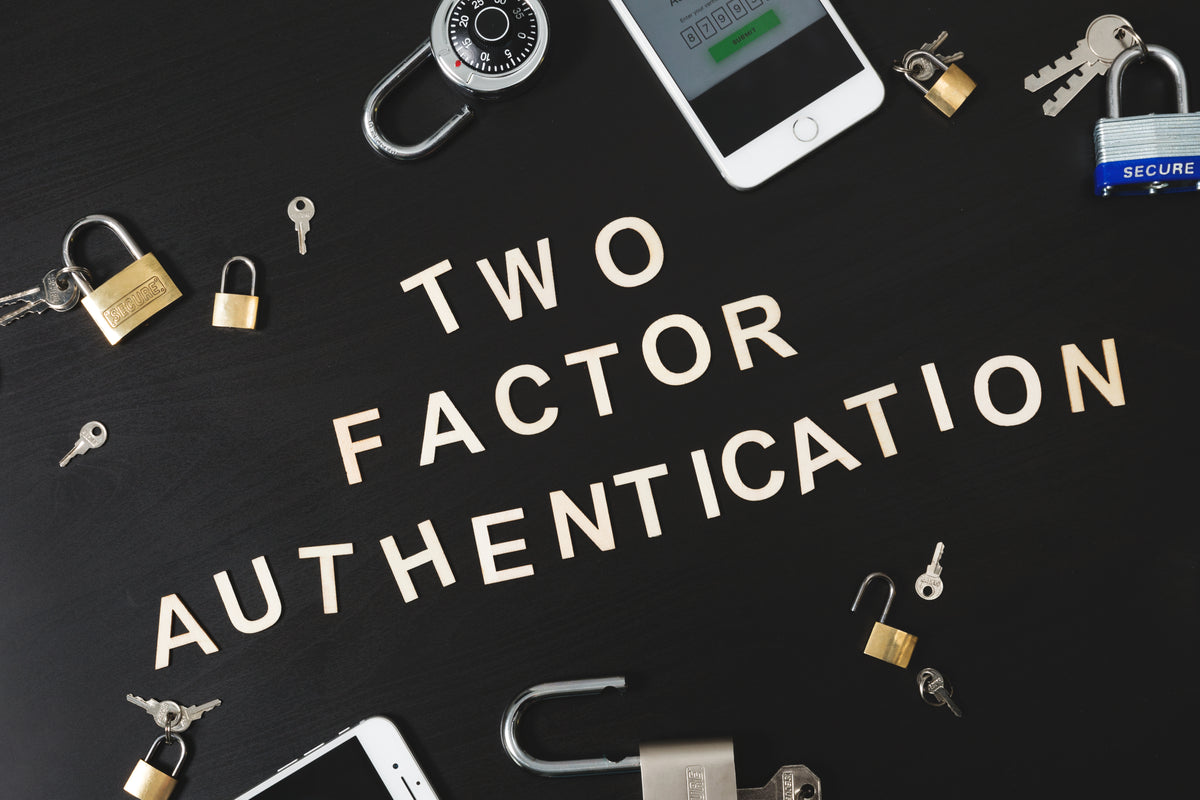
Enable two-factor or multi-factor authentication after recovery when the service offers it. This requires something beyond the password for a new login. The FTC notes that authenticator apps and security keys can offer stronger protection than codes delivered by text or email when those options are available. The practical choice must still be one the teenager can use consistently and recover without creating a new lockout.
A passkey or hardware security key can provide phishing-resistant protection on supported services. Set it up only through the platform's official security settings. Decide where a backup key or recovery method will be kept. One phone with no backup can turn loss or damage into a difficult recovery problem. The family should know the recovery plan without sharing active codes casually.
Regenerate backup codes if an intruder may have seen the previous set. Remove authentication methods or trusted devices the family did not add. Test the new method by signing in through the provider's normal interface before declaring the account finished. Do not post screenshots of QR codes or backup codes when asking for help; those materials can grant access.
Explain the purpose to the teenager in plain terms: a password is one lock, and the second factor is another. Two-factor protection reduces risk but does not make the account invulnerable. A teen can still approve a fraudulent prompt, share a code, or lose access to a recovery channel. Pair the tool with a rule: unexpected prompts are denied, and unexpected codes are never read to another person.
Review the phone and computer without assuming malware
Many takeovers begin with password reuse or phishing rather than sophisticated malware. Still, a device review is appropriate when the teen installed an unknown app, browser extension, configuration profile, or file near the time of the incident. Update the operating system, browser, apps, and security tools. Run the device's trusted security scan where available. Avoid downloading a random 'cleaner' advertised in a pop-up.
Review installed apps, browser extensions, device-administrator permissions, accessibility permissions, virtual private network profiles, and notification access. These controls vary by operating system. Use Apple, Google, Microsoft, or the device maker's current documentation for the exact model and version. Remove only what is unsupported or clearly unauthorized; deleting an unfamiliar system component can create problems without improving security.
If the teen entered a password on a phishing page, the account can be compromised even when the device is clean. Conversely, battery drain or a slow app does not prove that malware caused the incident. Document the relevant behavior and use a qualified repair or security professional for persistent signs. Do not let an unverified remote technician control the device or view private files.
A factory reset is a major step, not a default response to every hacked account. It can erase evidence, unsynced photos, authentication access, and recovery information. Back up necessary material carefully and follow official device guidance if a reset becomes appropriate. If an abusive person may be monitoring the device, coordinate with a safety advocate before making changes that could alert them.
Audit messages, posts, profile changes, and downloads
Review the period from the last known normal use through recovery. Check direct messages, sent items, deleted items where available, posts, comments, stories, profile links, usernames, biographies, followers, blocked accounts, and privacy settings. Look for data-export requests or downloaded archives the teen did not initiate. The purpose is to identify consequences, not to read unrelated private conversations without limit.
Preserve the necessary record before removing unauthorized content. Then delete or correct false posts and messages using the platform's supported tools. If harmful content was reshared, report the copies through the relevant category. A password change does not retract messages already delivered or files already downloaded. The response plan must address both continuing access and material that left the account.
Check archived content, drafts, scheduled posts, creator tools, ad accounts, marketplace listings, and linked pages when relevant. An attacker may prepare something that appears later. Review blocked and muted lists because the intruder may have hidden a friend who tried to warn the teen. Restore only relationships the teen recognizes; do not accept every pending request during a hurried cleanup.
Use the smallest review that answers the incident questions. A parent does not need indefinite access to every private conversation merely because one account was compromised. Agree on which dates, settings, and message categories will be checked and when the review ends. Respectful boundaries make it more likely that a teenager will report the next suspicious prompt early.
Warn contacts through a separate trusted channel
Tell close contacts that messages sent during the incident may not be genuine. Use a different verified route when possible, especially while account control remains uncertain. Name the relevant time window and the kinds of requests to ignore: money, gift cards, codes, links, images, or urgent favors. Do not ask friends to send screenshots containing their own private information unless it is necessary and safe.
Give contacts one simple verification rule. They can call a known number, speak in person, or use another established account before acting on an unusual request. The FTC recommends notifying contacts so they do not click links or respond to false pleas for help or money. A short, specific warning is more useful than a dramatic message that provides no way to verify future contact.
If the intruder sent a threat, romantic message, bullying post, or disclosure to a particular person, contact that person or their caregiver appropriately. A broad status update may never reach them. Acknowledge that the message was unauthorized without promising facts the family does not know. Preserve the message if it may matter to a safety report before the recipient deletes it.
After recovery, post from the restored account only if doing so will reduce confusion. State what period was affected and what people should disregard. Do not publish the suspected intruder's name, private records, or an unsupported accusation. Public confrontation can amplify the incident and complicate school or law-enforcement review. Keep the correction focused on protecting recipients.
Check money, purchases, and identity information
Review payment methods, creator balances, marketplace activity, subscriptions, gifts, advertising charges, and in-app purchases connected to the account. If there is an unauthorized charge, contact the card issuer, bank, payment app, or mobile carrier through an independently verified channel. Also report it to the platform. Do not rely on a social-media direct message claiming that a refund requires another payment or a verification code.
Determine what personal information the account contained: full name, date of birth, address, phone number, identity document, tax information, school details, or saved payment data. Exposure is not the same as confirmed misuse, but it informs monitoring and reporting. The FTC's IdentityTheft.gov can create a recovery plan when someone is using personal information for identity theft. Keep a record of reports and steps without posting the documents publicly.
If the account had a stored card, review recent transactions even if no social-media charge appears. Remove unfamiliar payment methods and check whether the intruder changed payout details. For a teen creator account, involve the adult responsible for taxes, contracts, or bank access. Do not let urgency push the family into sending identity documents to an unverified recovery contact.
Watch for follow-up scams. Someone may contact the teen claiming to have the stolen account, personal files, or refund. They may use real details taken from the profile to sound credible. Verify through official channels and do not pay for silence, recovery, or deletion based solely on a message. When threats or intimate imagery are involved, use the specific reporting and safety resources for that harm.
Support the teenager without making disclosure costly
A teenager may feel ashamed about clicking a link, reusing a password, sharing a code, or trusting someone. Start with containment and facts. Avoid announcing that the phone will be permanently removed before the teen has explained what happened. If asking for help automatically leads to severe punishment, the next incident may stay hidden longer. Consequences for a separate rule can be discussed after immediate safety and recovery are stable.
Let the teen participate in recovery. They know which devices, contacts, posts, and linked apps are normal. Explain each action and ask before opening unrelated messages. An adult may need to take a larger role for a younger child or urgent danger, but that role should still be transparent. Recovery is also a chance to teach account-security skills the teen can use independently.
Watch for sleep loss, panic, school avoidance, humiliation, or fear of peers after the incident. These reactions do not establish a diagnosis. They indicate that the social consequences may need attention alongside the technical repair. Offer a break from notifications, a trusted school contact, or a conversation with a qualified health professional when distress is significant or persistent. Keep the teen involved in deciding who is told.
Do not require the teenager to contact a suspected perpetrator to obtain an admission. Do not ask friends to investigate. The family can preserve records and use platform, school, financial, or law-enforcement routes suited to the conduct. A calm process protects the teen better than turning the peer group into an investigative team.
Escalate impersonation, threats, sextortion, and exploitation appropriately
A takeover may be only an access problem, or it may be a route to other harm. If the account is used for impersonation, report the false profile or unauthorized content through the relevant category. If it is used for threats, stalking, or location exposure, preserve the pattern and make a safety plan. If intimate images or sextortion are involved, stop negotiating and use specialized reporting and support resources.
Social Suit's teen sextortion guide explains immediate steps for demands involving money or images. The online grooming guide addresses manipulative contact with a child. These harms can overlap with an account takeover, but they should not be collapsed into one label. Use the guide that matches the actual conduct while continuing account recovery.
Contact emergency services when there is immediate danger. For non-emergency criminal conduct, use the appropriate local reporting route and bring the factual timeline, account identifiers, and preserved records. A platform report, school response, and police report serve different functions. Submitting one does not guarantee action by another, and none should be described as a finding that a named person committed an offense.
If the event may support legal questions, Social Suit's legal options explainer describes a separate eligibility enquiry. A hacked account, lockout, or privacy mistake does not automatically establish a claim, deadline, defendant, or compensation. Recovery and safety should proceed without waiting for a legal assessment. Preserve records and obtain advice from an appropriately licensed professional for the relevant jurisdiction when the stakes warrant it.

Avoid recovery scams and hack-back promises
Account-recovery posts attract scammers who promise guaranteed access, insider support, or the ability to identify and punish the attacker. They may request cryptocurrency, gift cards, remote access, identity documents, or a verification code. Do not engage. No private person in a comment is made legitimate by testimonials, follower counts, or screenshots of supposed recoveries.
A hack-back promise creates additional risk. It can expose the family to fraud, destroy evidence, target the wrong person, or involve unlawful access. Use official recovery and reporting routes. If professional technical help is needed, verify the business independently, define the scope, and do not provide unnecessary access to private messages or accounts. A technician can help secure a device without claiming secret access to a platform's systems.
Treat urgency as a reason to slow the transaction, not the safety response. A scammer may say the account will be deleted in minutes unless payment arrives. Open the platform independently and check the actual notice. Real providers may impose deadlines or verification windows, but those instructions appear in their official systems. Keep screenshots of fraudulent recovery offers if they become part of the incident, then block and report them.
If money or credentials were already sent to a recovery scammer, tell the payment provider and secure the affected accounts immediately. Do not send a second payment for a promised refund. Add the new event to the timeline. The original takeover and the recovery scam are separate incidents, and each may require its own report.
Coordinate with school, teams, and family accounts
Notify a school when unauthorized messages affect students, staff, school accounts, safety, or attendance. Use the school's verified contact rather than forwarding sensitive material through a group chat. Explain what is known, what remains uncertain, and what support the teen needs. Ask how the school preserves reports and who will communicate with the family. Do not demand that the school declare who hacked the account without evidence.
Review team, club, family, gaming, and shared creator accounts that the compromised profile could access. Remove the teen's old session or token where appropriate, change shared credentials, and review administrator roles. Shared passwords make attribution difficult and increase the impact of one compromise. Move to named roles or platform-supported delegation when available so each person has separate access.
Tell other caregivers what has changed and which contacts are genuine. Avoid sending the new password in a family chat. Decide who is responsible for checking recovery email, payment activity, platform reports, and school communication. A single coordinator reduces contradictory reports and repeated changes while still letting the teenager participate.
If peer conflict is involved, keep the account incident separate from broader relationship disputes. The school may need the exact messages and dates, not months of unrelated screenshots. A narrow, organized report is easier to review. Social Suit's guide to responding thoughtfully to cyberbullying offers a structure for repeated peer harm without treating every account problem as bullying.
Work through two hypothetical recovery situations
In a hypothetical example, fourteen-year-old Alex receives a real TikTok alert about an unknown device but can still sign in. Alex tells a parent, captures the alert, opens TikTok directly, changes the password, removes the unknown device, verifies the recovery email, enables two-step verification, and reviews sent messages. Two friends received a fake link, so Alex warns them by text. The family also changes the reused email password and checks the email sessions.
Nothing in that sequence identifies the person behind the login. The family does not accuse a classmate who recently argued with Alex. They document the time and use official routes. When no further unknown sessions appear, they keep the record for a reasonable period and complete a seven-day follow-up. The lesson is containment and verification, not certainty about attribution.
In a second hypothetical example, sixteen-year-old Sam cannot access Instagram, and friends report money requests from the account. The family first secures Sam's email, finds an unfamiliar forwarding rule, removes it, and follows Instagram's official recovery flow. They contact the card issuer after discovering an ad charge, warn friends not to send money, preserve the profile URL and messages, and report the unauthorized activity through the platform.
Sam is upset that private messages may have been viewed. The parent limits the review to the affected period and security settings. They do not require Sam to surrender every conversation indefinitely. A school contact is notified because one false message threatened a student. The family distinguishes the account recovery, financial dispute, and school-safety concern so each reaches the right channel.
Run a seven-day recovery review
On day one, secure email and the compromised account, revoke unknown sessions, repair recovery methods, preserve key records, and warn affected contacts. Check urgent safety and money issues. Do not try to finish every low-risk password change while an intruder may still control the reset channel. Mark each completed action and the exact account involved.
During days two and three, review connected apps, reused credentials, payment activity, unauthorized content, and platform case updates. Confirm that friends no longer receive false messages. Check the teen's phone and computer for relevant updates or suspicious apps without treating normal performance problems as proof of malware. Notify the school or another institution if the conduct reached it.
During days four through seven, check for new sessions, reverted recovery details, repeated reset messages, or follow-up scams. Complete changes for lower-priority reused passwords. Test multifactor recovery, store backup codes safely, and review whether public information helped a scammer answer security questions. Update the timeline with outcomes rather than leaving every item marked as suspected.
At the end of the week, hold a short review with the teenager. Ask what worked, what was confusing, who still needs correction, and which security arrangement is sustainable. Close temporary adult access that is no longer needed. Keep the incident record according to its actual purpose, not forever by default. Schedule another check only when unresolved activity or a formal process justifies it.
Keep a one-page family account-recovery plan
Write down the official recovery address for each major platform, the email account used for resets, the location of backup codes, the card issuer's verified number, and the trusted adult or school contact for urgent problems. Do not write passwords on the page. Store the plan where the family can reach it without relying on the compromised account.
Add four decision questions: Is anyone in immediate danger? Does the teen still have access? Is the email or phone recovery channel secure? Did unauthorized messages, money requests, or private content reach other people? These questions determine the first actions without requiring the family to diagnose the technical cause. Keep emergency and non-emergency contacts distinct.
Practice one scenario before an incident. A parent can send a pretend unusual-login notice and ask the teen to show how they would verify it without tapping the message link. Locate the platform's real security page, review how to deny an unexpected prompt, and identify the separate route for contacting a friend. Practice should build confidence, not become a surprise inspection of private conversations.
Update the page when accounts, phone numbers, devices, or caregivers change. A recovery plan that points to an abandoned email is not a plan. The goal is a calm route from alert to evidence, safe recovery, consequence review, and follow-up. Families cannot prevent every compromise, but they can make the next response faster, more accurate, and less isolating for the teenager.
Sources and further reading
These primary resources provide context. Our practical examples and planning suggestions are original educational material, not validated treatment protocols. Linked organizations do not endorse Social Suit.
- FTC: How To Recover Your Hacked Email or Social Media Account
- FTC: Protect Your Personal Information From Hackers and Scammers
- FTC: IdentityTheft.gov
- Facebook Help Center: Recover a Hacked Account
- Instagram Help Center: Lost Access to Email or Phone
- TikTok: Account Safety
- TikTok: Avoid Fraudulent Message Attacks
- Snapchat Support: My Account Is Compromised
- Google: Secure a Hacked or Compromised Google Account
- CISA: Social Media Account Protection