 Social Suit
Educational information, not individual medical or legal advice. Practical examples are hypothetical and do not describe clients or study participants. This article is not represented as reviewed by a clinician or attorney. How we prepare our guides.
Begin with a privacy goal rather than a menu tour
Privacy settings are easier to review when you know what you want them to accomplish. You may want posts visible only to a chosen audience, fewer messages from unfamiliar accounts, less location sharing, or clearer control over tags. These are different goals, and a platform may place their controls in different menus. Begin with the concern and then look for the relevant current guidance. A complete tour of every setting can feel productive while leaving the important question unanswered. The useful outcome is an arrangement that supports how you want to use the account.
Write the goal in ordinary language. I want friends to see family photographs, but I do not want them public is clearer than make the account safe. I want to approve tags before they appear on my profile identifies another function. I want a separate contact route for work identifies a practical audience issue. No setting can guarantee every possible privacy outcome. A goal should describe what the platform can reasonably help control and what you still need to manage through content choices. This keeps expectations realistic without dismissing the value of the available tools.
Imagine using one account for a public creative project and personal updates. You may initially think the answer is to make the whole account private. But that would also reduce the project's visibility. A more useful review separates the functions. Can you limit individual personal posts, move those updates to another route, or use a dedicated project account? The options depend on the service. The point is to define the tradeoff before choosing a control. A setting that solves one concern may change a benefit you want to preserve, and that deserves deliberate consideration.
Use current information from the service
Platform menus, labels, defaults, and features can change. A tutorial from a previous version may point to a control that moved or describe behavior that no longer applies. Use the service's current official help information when a setting is unclear. Check whether the guidance concerns your account type, device, and location when those details matter. Avoid inventing certainty from a similar label on another app. Two services may use the word private while controlling different features. A careful review asks what the actual setting does rather than assuming that its name tells the whole story.
Read the explanation before changing a control with broad effects. It may concern future posts, old posts, profile visibility, discoverability, or a narrower feature. It may affect who can contact you without changing who can view content. It may apply to one account but not another linked service. The distinction matters because a privacy goal can remain unmet even after a control is activated. If the service provides a preview or audience check, use it where appropriate. Verify the arrangement through the supported interface instead of relying solely on the fact that a toggle changed color.
If you cannot find a setting, do not assume that it exists. Look for an alternative route that serves the goal, such as changing what you publish, adjusting followers, limiting contact, or using another communication channel. You can also decide that the service does not offer enough control for a particular activity. A platform's limitations are information for your choice. They do not require you to expose details you would prefer to keep private. The content and the channel can be changed even when the menu does not provide the exact feature you hoped for.
Distinguish post audience from profile visibility
A post audience controls who can view a particular item under the service's rules. Profile visibility concerns information such as a biography, image, name, links, and contact details. These may be managed separately. Making future posts limited does not necessarily hide a public profile detail. Review both according to your goal. If the account is meant for a hobby, a private phone number may not belong in the profile even when it is technically allowed. If it is a professional account, choose an appropriate work contact rather than exposing unrelated personal information.
Check the audience for the specific post you are about to publish. Some services remember a previous choice, while others may use defaults or different arrangements for different formats. Stories, live content, group posts, and shared items may have distinct controls. Current official guidance can explain the differences. A privacy review should follow the route you actually use. If you publish through a scheduling tool or cross posting feature, understand how the destination audience is set. A careful choice in one interface may not describe every connected publishing path.
Older content deserves its own review when it matters. A control for future posts may leave past material unchanged. The platform may offer a bulk limit, an individual review, or another arrangement, but verify the current behavior. Prioritize sensitive or outdated information rather than assuming you must inspect every item immediately. A move, new job, or safety concern may change what you want visible. The aim is to reduce exposure that no longer serves your purpose. Remember that limiting your copy cannot guarantee that others did not retain or share an earlier version.
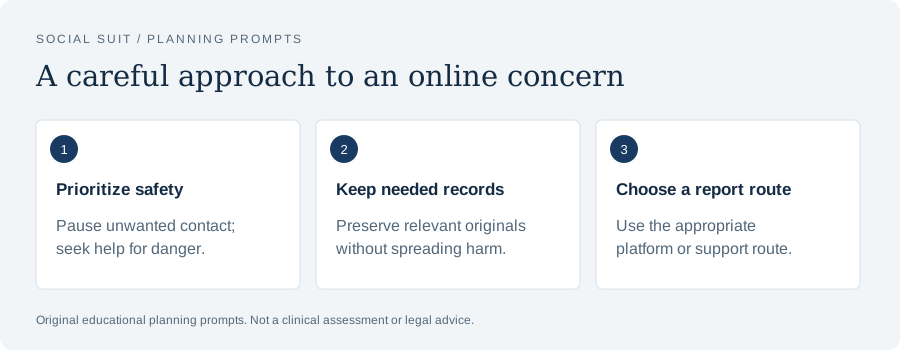
- Prioritize safetyPause unwanted contact; seek help for danger.
- Keep needed recordsPreserve relevant originals without spreading harm.
- Choose a report routeUse the appropriate platform or support route.
Review who can find and contact the account
Discoverability and contact controls can affect whether unfamiliar people locate you or send requests. Review the current options that relate to your concern, such as search, contact information, friend requests, message requests, or comments. These controls may be separate from content visibility. If your goal is fewer unwanted messages, making posts private may not be sufficient. If your goal is keeping a personal account separate from a public project, a profile link or shared contact detail may still connect them. Look at the actual routes through which another person could reach the account.
Think about the contact you want to preserve. A broad restriction may reduce unwanted messages but also block a useful community connection or work inquiry. If the service allows narrower controls, consider them. If it does not, choose a clearly defined alternative contact route for legitimate needs. A public email dedicated to a project, for example, may serve a different purpose from a private number. The arrangement should fit your circumstances. Avoid assuming that maximum restriction is automatically the best fit for every account, or that openness is necessary for every kind of participation.
After a change, notice practical results. Are relevant messages still arriving? Are unwanted contacts reduced? Do requests appear in a separate area that you need to review deliberately? Check current guidance about how the service handles restricted or filtered contact. A missed message may reflect the arrangement rather than the other person's behavior. If you adjust the setting, keep the privacy goal visible. The review is a process of matching access to purpose, not a test that you must make every possible contact either fully open or fully closed.
Understand tags, mentions, and other people's posts
Your own posting settings do not necessarily determine what another person publishes about you. A tag or mention may connect their content with your account, and services offer different controls over how that connection appears. Review current options for approving, limiting, or removing tags where available. Understand whether removing a tag changes only the link to your profile or also affects the original content. Do not assume that a profile control deletes another person's photograph. The distinction is important when deciding what practical action remains necessary.
If someone shares information about you that you do not want public, communicate a specific request when safe and appropriate. Ask them to remove the relevant content or detail, and explain the boundary without adding more private information. Use the platform's current reporting route when the situation fits its rules. If the conduct is threatening or part of harassment, seek appropriate support. A setting can reduce some connections but may not resolve the behavior itself. The response should address what the person is doing, not only how the item appears in your account.
For ordinary group photographs, discuss preferences before publishing when possible. If you manage a club or event account, create a practical route for participants to ask not to appear. This may reduce later correction work. Do not treat a person's agreement to attend as permission for every public use of their image or story. Legal requirements vary by context and location, so obtain suitable advice for specific legal questions. The practical principle is to identify the intended use and respect preferences. Privacy settings work better alongside clear communication about other people's information.
Treat location controls and visible clues as separate issues
A service may offer location tags, live sharing, or permissions that affect access to location information. Review the features you actually use through current help information. Ask whether sharing is active, who receives it, and how to stop it. Do not infer the answers from an old tutorial or a general statement that the account is private. A location feature may have its own audience or duration. If your concern involves a precise routine or private address, understand the active arrangement and consider whether the feature is necessary for your purpose.
At the same time, settings do not remove location clues from content you publish. A street sign, school badge, view from a window, or caption can identify a place. Several posts may reveal a pattern even without a location tag. Review images and text together, especially when they concern a home, child, workplace, or recurring schedule. You do not need to predict every possible inference. Focus on details that clearly exceed what the post needs. Turning off a technical feature and limiting visible clues are complementary actions, each addressing a different source of information.
Timing can be part of the plan. You may choose to share some updates after leaving a location rather than while there. That can reduce real time exposure, though it does not make the information disappear. For public events, provide necessary details while avoiding private movements of individual participants. For direct coordination with trusted people, use a suitable channel and understand its sharing arrangements. The question is not whether location is always inappropriate. It is whether the amount, audience, and timing fit the purpose and the people involved.
Review app and device permissions without assuming they control posts
Device permissions may concern access to a camera, microphone, contacts, photos, or location. These are different from the audience for content you publish. Review current device and app explanations to understand what access is granted and when it is used. If a permission is unnecessary for your use, consider limiting it through supported controls. If changing it affects a useful feature, decide whether another arrangement works. A permission review should be connected to what you actually do, rather than a broad expectation that every access category must be identical across all apps.
Understand the scope of photo or file access where the device offers choices. A selected file arrangement may differ from wider library access, depending on the system and service. Use current official information when the distinction matters. Do not assume that refusing one permission prevents every form of collection or sharing. If you manually publish information, that action creates its own exposure. Similarly, granting a camera permission does not itself determine who can see a post. The practical review needs to distinguish access to material from publication of material.
If you use a shared device, consider active sessions and visible notifications. A limited post audience does not prevent someone nearby from reading a notification preview or viewing an unlocked account. Use appropriate device controls, review where you are signed in, and sign out where necessary through the supported process. The relevant details vary, so follow current guidance. Account privacy, device access, and the physical environment can all affect confidentiality. A single setting rarely covers the whole situation. Looking at these layers separately makes the review more understandable.
Separate privacy choices from account security
Account security concerns who can access or control the account. Privacy choices concern what information is shared and with whom. Both are important. A secure account can still publish sensitive details publicly, and a limited post can still be exposed if the account is compromised. Review the service's current authentication, recovery, and session controls when relevant. Keep credentials and verification codes private. Use the official route for security issues instead of relying on a direct message from an account that claims to be support.
If you suspect a compromise, respond through the verified recovery process. Do not assume that changing audience settings resolves unauthorized access. The relevant steps depend on the service and circumstances, so follow current official guidance. If misleading messages were sent from the account, consider a clear and limited notice to affected contacts through an appropriate route. Avoid publishing further private information while explaining the incident. A careful response addresses access and confusion without turning the entire recovery record into public content. The information shared should serve the practical need.
Recovery offers from unfamiliar accounts deserve caution. Someone may promise to restore access in exchange for money, documents, or codes. Independently locate the platform's official help route and compare the request with its process. Do not let urgency or a convincing profile substitute for verification. If you already shared sensitive information, seek suitable advice about that exposure and use relevant account or financial support channels. Privacy review and fraud response can intersect, but they are not the same task. Identify the specific issue so the next step fits it.
Understand what a limited audience cannot guarantee
A limited audience can reduce exposure through the service's normal viewing arrangements. It does not guarantee that recipients will keep the content private, that an account will never be compromised, or that nobody can copy a screen. Keep this limit in mind when deciding what to publish. You can share meaningful experiences while omitting details that would be difficult to have repeated. The choice is not between silence and complete disclosure. A post can communicate the relevant point with less identifying information, and a different channel may be more suitable for sensitive circumstances.
Consider the trust relationship as well as the technical audience. A small group of unfamiliar people may be less suitable for a vulnerable story than a direct conversation with someone you know. A large family group may contain people with different expectations about resharing. You can communicate a preference, but a request does not create a guarantee. Choose the information accordingly. If an individual professional assessment is needed, use a qualified service that explains confidentiality and records rather than assuming a private group has the same arrangements.
The persistence of content also matters. A disappearing format may reduce ordinary availability but should not be treated as proof that no copy exists. Check the current service explanation, and avoid making a sensitive disclosure solely because the item is expected to expire. If the information would be difficult to have retained, consider another way to communicate. The setting can support a plan, but the content choice remains important. A realistic limit does not make the feature useless. It clarifies the role the feature can play in your decision.
Review linked accounts and cross posting routes
An account may connect with other services, publishing tools, or login arrangements. Review the connections that are relevant to your privacy goal through current official controls. Understand what a linked service can access or publish, and remove connections you no longer need where appropriate. Do not assume that limiting an audience in one place changes every destination. A cross posted item may have another audience or display different details. Follow the actual route used to publish, rather than treating the account as an isolated container.
When using a scheduling or management tool, verify its role and the permissions you grant. Choose a reputable service and understand how access is handled. If several people manage an account, use supported role arrangements where available rather than casually sharing credentials. Clarify who can publish, change settings, and respond to a privacy issue. A clear process can be especially useful for a small club or public project. Responsibility should include the ability to review content and handle removal requests, not only the ability to post quickly.
If you stop using a connected tool, review whether access remains active. Removing an app from a device may not necessarily revoke every account connection; the current service guidance can explain the relevant process. Avoid guessing. The practical goal is to end access you no longer need while preserving useful arrangements. After a change, verify that normal tasks still work. If something breaks, identify the necessary connection rather than restoring every old permission automatically. A focused review can reduce unnecessary access without making account management an endless project.
Prioritize the settings that address your current concern
A privacy menu can contain many categories. Start with the ones connected to an actual need: audience, contact, location, tags, permissions, or account access. Once those are understood, decide whether a wider review is useful. Prioritization prevents the task from becoming so broad that nothing is completed. If a safety concern is urgent, address it through appropriate support and reporting while making relevant account changes. Do not wait to finish every menu before seeking help. The settings review is one part of a response, and its order should fit the circumstances.
You can use a short note to track changes: the goal, the setting, what it controls, and any tradeoff. This helps if a later result is confusing. For example, you may notice fewer messages but also miss legitimate inquiries. The note can remind you which control changed and why. You do not need a formal audit for an ordinary personal account. A few plain sentences can make the arrangement easier to revisit. The purpose is to preserve understanding rather than collect a large inventory of labels that may change in the next update.
If several concerns coexist, separate them. Unwanted contact may require message controls. Exposure of an address may require content removal and safety support. A compromised account may require recovery. Distress from recommendations may require content controls and broader support if needed. These issues can happen together, but a single privacy toggle is unlikely to answer all of them. Naming the concern accurately helps you choose the right route and communicate with others. It also prevents a completed menu review from creating false reassurance about a problem outside the menu's scope.
Verify the change through supported features
After changing a setting, use the platform's supported preview, audience indicator, or explanation where available. Check a representative post or profile detail. Confirm that the choice applies to the intended account and format. Do not attempt to bypass another person's access controls or use unauthorized accounts to investigate the setting. The service's official tools and guidance should provide the relevant route. If the result remains unclear, treat that uncertainty honestly and limit sensitive sharing until you understand the arrangement. A toggle alone is not a complete explanation of its effect.
Verification can be practical. If you limited future posts, confirm the audience when drafting the next one. If you changed who can message you, review how legitimate requests appear. If you removed a profile detail, check the supported public view. If you changed a connection, confirm that only the needed publishing route remains. The checks should match the goal. There is little value in testing an unrelated feature simply because it is available. A focused check gives you evidence about the specific outcome you wanted.
Remember that a successful check describes the current arrangement under the conditions you reviewed. It is not a permanent guarantee. Revisit relevant choices when the platform changes, your account function changes, or a new concern arises. You do not have to inspect everything daily. Choose a manageable review point or connect it to an ordinary event such as updating a profile. The aim is to maintain understanding over time. Settings are useful when they remain connected to your actual use, rather than treated as a one time ceremony that removes every future privacy decision.
Combine settings with careful content choices
A good audience setting does not make every detail suitable to publish. Review the text, image, audio, tags, and timing. Remove unnecessary identifiers, documents, credentials, and private information about other people. If the purpose is sharing a milestone, a limited description may serve it better than a complete record. If the purpose is asking for help, a general question may be enough. The setting and the content should work together. One controls an audience under the service's rules; the other controls what information you place into that audience in the first place.
This combination is especially important for children and sensitive circumstances. A limited family audience may still include people who reshare. A private group may contain strangers. A disappearing message may be copied. You can choose a version that respects the person's dignity and limits details regardless of the format. Ask appropriate permission when another person's information is involved, and do not assume that agreement to one use covers every use. If a specific legal question arises, obtain suitable professional advice. The practical privacy decision should not pretend to settle legal requirements through a menu.
If a post reveals something accidentally, respond to the specific disclosure. Remove or limit the item where appropriate, review connected copies, and contact relevant services or people when needed. A privacy setting may reduce further viewing, but it may not address exposed credentials or an active safety concern. Identify what was shared and choose the next step accordingly. After the immediate issue, adjust the process that led to it. A final preview, clearer audience default, or changed cross posting arrangement may prevent a similar mistake without requiring a complete withdrawal from sharing.
Support a child or teenager with a shared review
When helping a young person, explain settings through the situations they care about. Ask who they want to see a post, who they want to contact them, and what information a photograph reveals. Review current controls together when appropriate. A practical example can be clearer than a broad instruction to be careful. Encourage questions about unfamiliar requests and make it possible to discuss mistakes without humiliation. Privacy learning is more useful when it connects a setting with a real choice and a route to support.
Avoid assuming that young people know every control because they use the app often. Familiarity with content does not guarantee understanding of audience defaults, contact routes, or location features. Adults may also misunderstand them. Treat the review as shared learning rather than a test. Check official information when neither of you is sure. If unwanted contact or harassment is involved, respond to the conduct and support the young person. Do not frame the situation only as a failure to choose the correct setting. Harmful behavior is not made acceptable by a public profile.
Consider how family posting affects the young person's privacy too. Adults can reveal school details, routines, and personal stories from their own accounts. Discuss those choices and respect appropriate preferences. A child's careful settings cannot control an adult's public post. The family plan should include both sides of sharing. If a safety incident occurs, seek appropriate help and use relevant reporting routes. The goal is a practical network of support and informed choices, rather than placing the entire burden on one person's ability to navigate a changing menu.
A worked example: reducing unwanted messages
Imagine a hypothetical person named Avery who receives repeated messages from unfamiliar accounts. Avery initially makes future posts limited but notices that the messages continue. They review current service guidance and discover that contact controls are separate. Avery adjusts the relevant request options and keeps a dedicated route for legitimate project inquiries. They also review the profile for an unnecessary private contact detail. The result is a clearer arrangement: chosen people can view personal posts, unfamiliar messages are handled through the available controls, and work inquiries have a defined channel.
If one account continues intrusive contact, Avery uses relevant blocking and reporting tools and seeks support if the behavior becomes threatening. The issue is no longer simply a menu choice. It concerns a person's conduct. Avery keeps a factual record when appropriate and avoids responding through a public confrontation that could escalate exposure. The privacy review helped reduce some routes, but it did not guarantee that all unwanted behavior would stop. Understanding that limit allows Avery to combine controls with a response suited to the actual situation.
At a later review, Avery notices that a useful community request was filtered. They adjust the arrangement narrowly rather than reopening every contact route. This illustrates why privacy choices need practical review. A control can help with one concern and create a tradeoff. The goal is not to achieve a theoretical maximum of restriction. It is to maintain an understandable route for wanted contact while limiting unwanted access as far as the service allows. Avery can revise the plan without treating the first choice as a failure.
A worked example: keeping a project public and personal details limited
Consider a hypothetical artist named Lee who uses one account for portfolio updates and family news. Lee wants public visibility for the portfolio but feels uncomfortable with personal details reaching strangers. They identify the two functions and review current audience options. Lee decides to publish only project material through the public account and use a separate route for family updates. They remove an unnecessary private phone number from the public profile and check older posts that reveal location or routine details. The change supports the creative purpose while reducing unrelated exposure.
Lee also reviews a cross posting tool that sends images to another service. The destination had a different audience arrangement, so Lee checks its current controls separately. They verify the next scheduled post through the supported preview and keep a short note about the route. This step matters because a decision in the first account did not describe every connected publication. The privacy plan follows the actual flow of content. It includes the profile, individual posts, linked services, and the information inside the images rather than relying on one account label.
Later, Lee photographs a workshop with other participants. They ask about permission and provide a practical option not to appear. One person agrees to a group image but not a personal story in the caption. Lee respects that distinction. The account's public purpose does not make every participant's information available for promotion. Settings help control publication, while communication helps decide what should be published. The example shows how technical controls and ordinary consent can work together without making privacy an obstacle to the project itself.
Keep the review manageable over time
A useful ongoing plan can be brief. Review relevant settings when your use changes, when a feature is updated, or when a concern appears. Check the audience before sensitive posts. Revisit profile details that no longer serve a purpose. Review account connections you no longer use. Keep credentials private and use verified help routes for security issues. These actions can fit ordinary account maintenance. You do not need to turn every session into an audit, and you should not assume that one past review covers every future feature or circumstance.
The Federal Trade Commission's resources about protecting privacy online provide general consumer guidance, while current platform documentation explains specific controls. Appropriate professionals can advise about unusual or high stakes situations. Use each source for the function it can provide. A general privacy page cannot tell you exactly how a newly changed menu works. A platform menu cannot assess an individual safety or legal concern. Matching the question to the source makes the next step more reliable and prevents a narrow tool from being expected to solve a wider problem.
Privacy settings can reduce exposure and unwanted access, especially when their effects are understood and verified. They work best alongside careful content choices, account security, and respect for other people's information. Begin with the goal, find the relevant current control, check what it changes, and review the tradeoff. Keep the limits visible. You can have an active public or private online life while making deliberate choices about what each audience receives. A clear arrangement is more useful than a reassuring label whose meaning you have not examined.
Preserve a record of the purpose
Write one sentence explaining why you chose a setting. That reminder can help you review the arrangement later without reopening every question from the beginning.
Ask what a new feature changes before adopting it
New features can be appealing because they make sharing easier. A group prompt, automated repost, location sticker, or collaborative album may also create a new route for information. Before using it with sensitive content, ask who can see the result, who can add to it, and whether it connects to other accounts. Check the current official explanation. You do not need to reject every new feature, but you should understand the part that matters to your privacy goal. Ease of use is valuable when it supports a choice you intended to make.
A feature may have different controls from the format you normally use. If you usually publish text posts to a limited audience, a live session or collaborative item may not inherit the same arrangement. Avoid assuming continuity from a familiar icon or account. Review the publishing preview and relevant audience information. If the explanation remains unclear, try the feature only with material you are comfortable making broadly available, or wait until you can understand it. The content choice can reduce risk while you learn. An unfamiliar control does not require an immediate test with private information.
Notifications about changed policies or settings can be difficult to interpret, but they may be worth reviewing when they concern your goal. Focus on the practical effect rather than attempting to memorize every document. Did the default audience change? Is a new connection active? Does a location feature work differently? Are older controls still available? Current service guidance should explain the relevant arrangement. If a notice is unclear, keep sensitive sharing limited and look for clarification. The purpose is to maintain understanding of the choices that affect your account, not to become an expert in every aspect of the platform.
If a feature no longer fits your use, stop using it or change the arrangement through supported controls. Review whether existing items remain visible and whether linked access needs to be removed separately. A decision to stop future use may not affect past content. Keep the distinction clear and prioritize the material that matters. This final check can prevent a familiar mistake: treating removal from your daily routine as removal from the account. A useful privacy plan follows both current actions and the continuing availability of information already shared.
Sources and further reading
These primary resources provide context. Our practical examples and planning suggestions are original educational material, not validated treatment protocols. Linked organizations do not endorse Social Suit.